Recruiting software should support your Staffing agency’s day-to-day activities, such as sourcing candidates, managing job orders, tracking communications, distributing shortlists, and following up with clients. The problem is that it is hard to choose a system because vendors offer similar features, but each product handles these tasks differently.
A searchable resume database is essential, but recruiters also need to know about the most recent contact with a candidate, the client’s submissions, the feedback obtained, and the candidate’s availability.
For agencies and recruiters, the main question is whether the software will make daily operations easier without creating new problems.
The answer depends on how the system handles assignments, relationships, information, and exceptions; subscription prices and feature lists offer only a partial view.
First, Know What You Are Buying
A wide variety of software is available, including tools for applicant tracking, sourcing, candidate communication, recruitment marketing, interview coordination, and other related functions.
An applicant tracking system (ATS) tracks candidates and monitors job applications. Although ‘applicant tracking software‘ and ‘ATS software‘ refer to the same category, the products within it can vary widely.
Some systems focus only on the application and selection phases, while others combine applicant tracking with client management, candidate engagement, and other general agency activities.
Several related terms deserve attention:
– The recruitment CRM handles relationships over and above a single application; in different cases, this can involve communicating with candidates, maintaining contact with clients, engaging in business development, and pursuing sales opportunities.
– Recruitment marketing software enables activities including the creation of content for the career site, running recruitment campaigns, and attracting talent.
– The HR software includes employee administration and other HR duties; recruiting may be part of a broader system.
– The recruitment management system: this is a general term which needs to be looked at more closely; the name by itself does not show us what functions it has. Names such as ‘recruiting platform’ and ‘hiring software‘ are likewise vague. We should establish the product’s capabilities before deciding what category it falls into.
Staffing agencies need to make this distinction: an internal recruitment team recruits staff for its own organization, while a staffing agency connects candidates with client companies and manages job orders, applications, feedback, and commercial relationships.
A product might suit an internal HR department but would leave an agency relying on spreadsheets for important tasks.
What’s going wrong in your agency today?
Before contacting vendors, review your most recent assignments and choose one that involved a routine search and another that had delays, missing information, or complicated handoffs.
How can we reconstruct the sequence of events from the initial client requirement right through to the final result? Who was responsible for making the changes? Which details were included in the email? At what point did one person have to interrupt a colleague to understand what was going on?
What these situations show is not merely a general call for “better recruitment software“; they indicate specific needs that go beyond such a general request for “better recruitment software”, since this leaves the vendor with a great deal of scope for giving a vague reply. A more clear-cut requirement would be:
A recruiter covering for an absent colleague should be able to see the most recent client feedback without searching through that colleague’s inbox.
Another example is:
If a single candidate is being considered for two positions, recruiters should be able to update each application individually without losing either application history.
Divide your requirements into three groups:
The agency must be able to function satisfactorily without it.
- It is useful because it eliminates inconvenience or improves a task that occurs repeatedly.
In the future, it could become relevant if the business changes.
All essential requirements must have a clear reason, for example, because a task is blocked, substantial rework is needed, the information risk is unacceptable, or client expectations have not been met. Involve recruiters, account managers, operations team members, and anyone else responsible for your current systems, since each group will spot problems the others miss. The requirements should be short and practical; they should ensure contractors perform the same tasks.
A Permanent Recruitment Firm and a Temp Agency Need Different Things
The number of recruiters alone doesn’t determine software requirements. Two agencies with eight recruiters each might operate completely differently.
Permanent recruitment: keep every submission clear
For permanent positions, check how the system links each candidate to each client opportunity.
Recruiters must distinguish between the first conversation and an approved submission, a client interview, an offer, and an accepted placement.
Consider how the platform records candidate approvals, client feedback, recruiter ownership, and all other commercial details your process requires.
Consider how the system handles returning candidates—can it maintain previous relationships while still allowing new applications?
Records should show previous activity without confusing it with the current search.
Temporary staffing: the work continues after the start date
The temporary and contract staffing situation would require records of assignment dates, availability, extensions, redeployment, time capture, and data transfer to payroll or invoicing.
Work out which application is responsible for each task.
Your recruitment system can manage assignment details while a separate product handles approved hours and billing; this setup is acceptable as long as information transfers accurately between the systems.
Ask vendors to demonstrate your specific fields and approval rules. General remarks about payroll integration do not explain how extensions, corrected timesheets, or assignment changes are handled.
Executive search: relationships need room for detail
Executive search companies usually place a high importance on their research notes, confidential assignments, stakeholder relationships, and ongoing long-term discussions.
A system designed to handle a large number of applications may prove ineffective because researchers will struggle to connect people, organizations, and past discussions.
Buy software that matches your current business and realistic growth plans. Don’t pay for extensive features you don’t currently use, since they add cost and complexity.
Can your team identify any individuals already in the database?
A database has no value unless recruiters can find relevant candidates and understand the information linked to them.
Prepare searches based on genuine assignments. Include:
A mix of technical ability and having the right location.
– A candidate who has a job title different from that of the client.
– A person who had previously thought about it but had not actually ordered it.
– A contractor who is nearing the end of the assignment.
– A person whose resume contains useful information missing from structured fields.
State the information that the search looks at.
Full-text search, structured filters, Boolean queries, and semantic matching function in different ways. Determine which methods are available and how recruiters can review the results.
Exclude people, so recruiters remove those who are unavailable, have refused contact, or whose profiles don’t meet the main requirements.
Ensure these restrictions are applied consistently.
Distinguish between locating a record and verifying a candidate’s current situation; an old resume won’t confirm current availability, compensation expectations, location, or willingness to change jobs.
When you evaluate it, note whether the searches return the correct candidates, explain why irrelevant profiles show up, and state how much manual checking is required.
Determine if recruiters can use the database with reasonable confidence while they are on active assignments.
A Resume May Upload Successfully but Still Be Parsed Incorrectly
Resume parsing extracts information from documents and fills it into the appropriate fields. This differs from screening, which evaluates qualifications, and from matching, which compares the candidate’s data with the job requirements. Accurate extraction does not prove the candidate has the necessary qualifications.
Create a test set by using approved documents or realistic synthetic resumes. The formats and career histories included should be typical of the kind of cases your agency generally handles:
– Documents in the form of Word files and text-based PDFs.
– Resumes that have multiple columns.
– Advancement while working for the same company.
– Overlapping consulting assignments.
– Changes in career and breaks in employment.
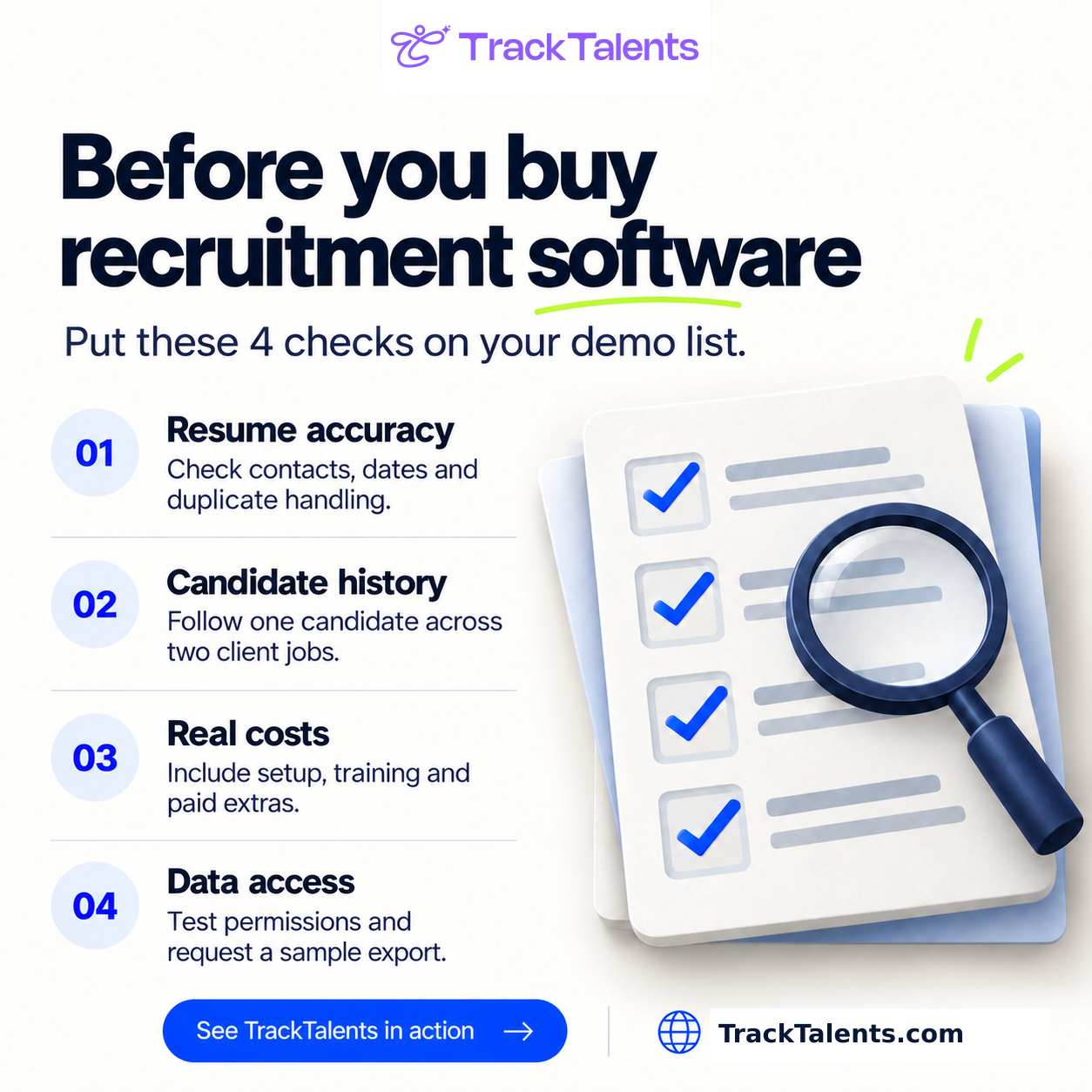
– Scan the documents where appropriate. Before uploading, note the correct values for the key fields recruiters use, then check the system’s output. Are the phone numbers and email addresses accurate? Are the employers, titles, and dates still properly connected? Is each certification recorded correctly? Does missing information stay blank, or does the software make unsupported assumptions? Upload the amended resume, then check whether it updates the existing profile or creates a duplicate. Evaluate errors by impact; minor inconsistencies may be acceptable, but incorrect contact details can prevent communication, and inaccurate employment dates can interfere with searches or candidate evaluations.
Track time spent on review and correction, and ask recruiters to indicate when they need to consult the original document.
Set acceptance criteria based on your business requirements; for example, agencies recruiting licensed professionals need different checks than those focused on contact information.
A single accuracy rate doesn’t show these differences.
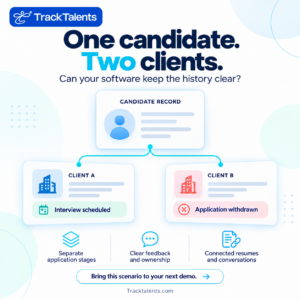
Is There a Clear Record of the History? — One Candidate, Two Clients
Use a demonstration situation in which the same candidate is appropriate for two positions.
Send that person to one client, arrange an interview with another, and then withdraw one application.
Check whether the software preserves separate:
– Application stages.
The submission dates and the people to whom they were submitted.
– Resume versions or presentation documents. – Notes from the interview and feedback from the client; the reasons for withdrawal or rejection; the person responsible for recruitment and maintaining account ownership. Then have a different recruiter take over. Could that person understand the situation based on the record? Could they identify the next step without asking the original recruiter to reconstruct the events? This exercise shows whether shared information can actually be used. Important details may be on the platform but hidden in private notes, disconnected messages, or unclear fields.
Look at external access on its own. When the product has a client portal or shared shortlist, confirm exactly what a client can view, download, comment on, or forward.
For that test, use a restricted account.
For internal notes, compensation discussions, and other client-related activities, you need clear access rules, and you shouldn’t rely only on the administrator’s view.
What takes place after you click ‘Post Job’?
A one-click job posting seems simple, but the process needs closer inspection.
What destinations are supported? Does the service publish vacancies, collect applications, keep listings up to date, and close expired ones? Are the advertising charges separate? Who investigates a posting that fails?
Choose one typical position and follow it through the entire process.
Look at how the title, location, compensation information, application questions, and source details transfer from the recruitment system to the destination.
Now make a change, close the vacancy, check what happens on both sides, and apply the same scrutiny to the communication.
An email connection may provide the facilities of sending messages, logging them, synchronizing them, or only some of these functions. Request to see a new message, a reply, an attachment, and a shared mailbox.
Also, find out what happens when a recruiter leaves the company. Which conversations stay accessible, and who can see them?
For automated messages, test the exceptions:
– Does the sequence come to an end when the candidate answers?
– What occurs following a withdrawal or a request to stop the messages?
– Is it possible for a recruiter to pause scheduled communication?
– Who has the authority to approve templates and bulk sends?
– Is it possible for an administrator to investigate a wrong message?
All automated processes should have a specific owner and also include a procedure for recovering from errors.
Start with clear tasks, such as internal reminders after missed actions. Introduce more complex communication only after the team understands the basics. The recruiter’s convenience should not come at the expense of the candidate’s experience. Fill in the application on your phone, upload your resume, correct a field, go back, and then interrupt the process. Check whether you can return to it without starting over. Review the confirmation messages and the errors that occur when you upload a file.
Carefully review the required fields, since each one should be relevant at that stage in the recruitment process. Although you may need more detail later, it isn’t necessary for the first application. Accessibility also needs careful consideration. Can someone complete the form using only a keyboard? Are the various fields clearly labeled? Should applicants be able to find out how to ask for help or request an alternative procedure? US disability protections remain relevant when employers use software and algorithmic assessment tools, since there could be concerns about inaccessible assessments, inappropriate screening out, and the need for reasonable accommodations. Request the accessibility documentation and make proper arrangements for further assessment if needed. The fact that one employee has successfully gone through the process does not mean the process is accessible to everyone. On the other hand, it can help spot obvious difficulties before candidates encounter them. “Integrate With That” requires a better answer. Integrate With That” Needs a Better Answer
Describe each integration by the information it transfers and the work it supports. Every essential: The direction in which it travels. At the time that the transfer takes place. – Which application has the official record?
For example, which application approved assignment details could be transferred from recruitment software into a payroll application? Payroll changes should not unexpectedly overwrite recruiter notes. Request a demonstration using the fields you intend to transfer, and include an edited record and a failed transfer. Find out who is responsible for supplying and maintaining the connection. Is this service included in the quoted subscription? Does it require a separate paid product? Are implementation services necessary? An API can support custom development, but that doesn’t mean the connection you need is already in place. If development is required, the cost estimate should include mapping, testing, monitoring, and maintenance, and you need to decide who pays if the application changes. When testing online recruitment software, make sure it performs well on the devices and connections your staff actually use, since relying solely on browser access doesn’t guarantee acceptable performance for everyday tasks. Subscription Is Only Part of the Bill. Subscription Is Only Part of the Bill
Get a written quotation that accounts for the users you expect, how you plan to use it, and the contract length.
Make clear the named-user rules, the minimum purchase requirements, the annual commitments, and the charges applicable to administrator or client access.
Ask separately about:
– Migration and setup.
– Configuration and training.
– Support levels.
– Communication usage.
– Storage.
– Integrations.
– Optional modules.
– Assistance with export or with termination.
Consider a hypothetical agency with eight paid users:
— A subscription costing $75 per user per month amounts to $7,200 per year.
– For setup and migration: $2,500.
– Optional tools are available for $150 per month, which amounts to $1,800 per year.
– The internal implementation work, which amounted to 60 hours at a rate of $40 per hour, totaled $2,400.
External spending in the first year would be $11,500; including internal implementation time brings the total to $13,900 before taxes.
These figures are calculations, not market averages or a vendor’s quotation.
Track internal time even if no invoice is produced, since someone has to approve the settings, check the migrated records, answer questions, and train colleagues.
It is also worth comparing later years, since setup fees might disappear even if the number of users, usage levels, renewal prices, or demand for support changes.
When judging returns, take care. Although it may increase capacity, saving recruiter time does not necessarily reduce payroll or lead to placements.
Build the business case around achievable tasks and realistic adoption levels, and account for the amount of work the agency can reasonably handle.
To whom can candidate information be accessed and retrieved?
Cloud-based recruitment software explains how a cloud-based product is delivered; it doesn’t address questions about security, access, or recovery.
Formulate a concentrated series of questions in light of the information that your agency possesses and the requirements of your clients.
Ask about authentication, user permissions, administrator access, activity records, encryption, backups and data restoration, incident notification, and any external companies that handle candidate data.
Provide evidence to back up each claim.
When a vendor cites an independent assessment or certification, check the date, scope, and how it relates to the product you’re evaluating.
Also look at how data is used. Can candidate information be used to train AI models? And which external services receive this data? What contractual restrictions apply to that use?
Check permissions across different accounts, since recruiters, branch managers, administrators, and clients may need different access levels.
To support recovery, consider what information might be lost in an incident, how the restoration process works, and what the agreement requires.
The fact that we take backups raises important, unanswered questions
Your organization also needs an individual responsible for access administration. You need to decide who will approve new users, review their permissions, and remove access when someone leaves.
Your organization’s internal practices should match the software’s controls.
US Hiring Rules Still Require Your Attention
Recruitment software can support recordkeeping, set access restrictions, and provide documentation. The settings should correspond with the obligations that apply to your organization and its activities.
You cannot determine your obligations from a vendor’s general compliance statement—check your own rules before turning on automatic deletion.
For private employers with coverage, federal recordkeeping requirements usually require keeping relevant personnel and employment records for one year from the date they are created or from the date of the personnel action, whichever is later.
In some cases, different periods apply; records associated with a discrimination claim or a specified legal proceeding may have to be kept until final disposition.
It does not set a universal schedule for deleting records kept by all agencies.
Advise you on the relevant requirements; then verify that the software can comply with your retention schedule, maintain records subject to a hold, and record any deletions.
Clarify responsibilities when the agency and client maintain different parts of the recruitment process. Review tools that affect candidate selection. Local Law 144 of New York City sets requirements for employers and employment agencies that use automated employment decision tools covered by the law. These requirements include conducting a qualifying bias audit in the previous year, making the results available to the public, and providing the required notices. To determine whether a specific tool and its use are included, you need to assess it. Ask vendors what criteria they use to score, rank, recommend, or reject candidates, and ask for an explanation of the evidence behind those criteria and the records they keep. It’s wrong to assume the same rule applies to all ATS features, and it is also incorrect to think a vendor-provided audit meets your organization’s obligations. Instead, run the same assignment with each vendor. An effective demonstration should resemble a real working session. Give each shortlisted vendor the same brief and ask them to carry out the same tasks. Make the exercise reasonable in scale, yet provide sufficient detail to demonstrate how the system deals with your work.
A proposed session could follow:
- Set up a vacancy by using the fields and approval steps that your agency requires.
- Include candidates by uploading sample resumes and a modified version of the current profile.
- Run a search using a prearranged query, then review the results.
- Manage two applications by placing one candidate in separate opportunities, then update only one of them.
- Record the feedback and check what relevant colleagues can see.
- Prepare a report by tracing the figure back to its original records.
- Make the information available. Check which parts are included and which are missing. After the initial introduction, the recruiter should follow standard procedures. A knowledgeable presenter can use the software without difficulty. Your team should decide whether ordinary users can perform the same tasks without repeatedly asking for help.
List the requirements as examples, as configurable, as depending on another product, or as unavailable. Separate promised future features from existing functionality. Even if you get a generally favorable impression, that doesn’t mean you should accept a requirement the agency cannot reasonably meet. ably address.
A Good Dashboard Should Explain. First, decide what questions managers need answered when comparing reports. You could identify jobs waiting for client feedback, available contractors, stalled submissions, or assignments close to their end date. For every measure, decide upon the start event, the end event, the exclusions, and the reporting period. Reporting period.
Take “time to fill.”
When does the process of measurement start—the moment the client submits a requirement or the moment the agency accepts it? When does it end, at the point when the offer is accepted or when the candidate begins? How do you handle jobs that have been paused or canceled?
Even if both reports seem reasonable, they could produce different numbers because the agreed-upon definitions aren’t established.
Ask the vendor to produce a report that includes deliberately different records, such as an open vacancy, a withdrawn submission, an accepted offer, and one with a delayed start.
Look at the calculations and ownership rules.
When more than one recruiter is involved in a task, make sure that you know how their activity is displayed.
After the launch, review patterns before assessing performance. A low conversion rate could be due to difficult roles, delays in client decisions, incomplete records, or problems with the recruitment process. This will make it easier to investigate those possibilities.
What to Examine When Considering Track Talents
Track Talents lists several closely related recruitment functions on its official product pages, such as resume parsing, bulk uploads, job management, linking candidate and contact records, tracking communications, interview scheduling, and a branded career portal.
These are product descriptions, not the outcome of direct testing. For an agency looking for a central place to store candidate information, job activity, and recruiter communication, these features provide a solid basis for further evaluation.
Ask Track Talents to show the same assignments, documents, access rules, reports, and connections used to evaluate the other shortlisted products.
Ensure candidate records link to jobs and conversations so recruiters can access the information they need and understand what happened without reconstructing it elsewhere.
Please ask for written confirmation of the subscription, included features, setup services, and any extra charges.
Base your choice on proven behavior, practical needs, and the terms you’ve agreed to. Public descriptions tell us what to look for, but they don’t mean every agency is suitable.
Moving Your Data Means Moving Its History
A migration is incomplete when it transfers candidate names but fails to preserve their relationships.
To understand the database, you often need to consider submission history, client feedback, attachments, record ownership, and the links between people and jobs.
Start by taking an inventory and deciding which items should be in the active system, which should be archived, and which require further review under your retention policy.
Agree on field mappings before the full transfer.
Explain the way the new system will deal with duplicate profiles, custom statuses, inactive users, multiple attachments, and inconsistent dates.
Run a trial migration and examine four things:
— Counts: Have the expected number of records and attachments arrived?
– Did the values get to the right places?
– In the area of relationships, are the candidates linked with the appropriate jobs and clients?
– Usability: Can recruiters find an? Before approving the final transfer, you should resolve the material issues.
Appoint someone from the agency to handle questions about mapping and process changes. Otherwise, minor disagreements may delay the project. Set out the cutover procedure, the editing freeze, the final checks, and the recovery plans if launch conditions are not met. Where practical, start with a pilot team and train staff in line with their real responsibilities, then address unresolved issues before widening access. Select a launch date taking into account readiness and dependencies. Readiness and dependencies.
While you are still evaluating the product, ask for a sample export. Check whether it includes resumes, notes, attachments, custom fields, timestamps, and identifiers that preserve relationships between records. Find out whether you can export communication history and other key information in a usable format. Ask how long an export takes, whether it incurs an additional charge, and how much access remains after cancellation. Check the renewal terms, notice periods, any price changes, support commitments, and who is responsible for external services. Talk to customer references from agencies similar to yours and ask what they thought about migrating, the day-to-day administration, ongoing limitations, and the support they received when problems actually arose. Vendor-chosen references can be useful, provided you know how they were selected. Before deciding, refer again to the original requirements. Choose a product that is reliable for essential tasks, stays within the operating budget, and can be introduced within the available time and with the available people. People and time available.
Questions:
At what point should a small agency stop using spreadsheets?
It should consider switching to other solutions when it needs to perform repeated reconciliations to maintain accurate, accessible information. The agency should then examine available features, such as separate applications, access control, follow-ups, and the ability to reconstruct decisions. It should compare the current level of effort with the cost and work involved in introducing dedicated software. Is it necessary to submit a formal request for a proposal?
A brief requirements statement is enough for a simple purchase. Still, a formal request is more appropriate when several departments are involved, complex integrations are needed, a significant migration is taking place, or contractual requirements must be met. Ask questions that affect the decision and can be tested.
Should we use AI features to decide our shortlist?
Include AI features only when they meet a specific need and can be properly evaluated; consider the inputs, outputs, limitations, need for oversight, and consequences of errors. The level of review required to draft an email differs from that needed to influence a candidate’s selection, and the related costs and administrative tasks should be included.
Who will be in charge of the system when it launches?
A business owner should make decisions about the process, and an administrator should manage access, settings, and support coordination. In a small agency, one person could take on both roles. Recruiters also need a clear way to report problems and request changes without having to come up with alternative workarounds.