LinkedIn Recruiter can be a powerful sourcing tool when recruiters know how to use it well.
Its main value is simple: it helps hiring teams find people who may never apply through a job board.
That includes passive candidates, senior professionals, niche specialists, competitor talent, and people who are open to the right role but not actively searching every day.
But LinkedIn Recruiter is not automatically the right investment for every company or staffing agency.
It can become expensive when recruiters use it like a basic search box, send copied in-mails, skip follow-ups, or treat LinkedIn profiles as complete proof of candidate quality.
The tool is useful. The process around it decides the return.
What Is LinkedIn Recruiter?
LinkedIn Recruiter is a paid sourcing platform for recruiters, staffing agencies, and talent acquisition teams.
It helps recruiters search LinkedIn’s professional network, contact candidates through InMail, organize prospects into projects, save searches, add notes, review recommendations, collaborate with teams, and connect with certain ATS platforms.
LinkedIn says Recruiter gives users access to a global network of more than 1 billion members and provides advanced search, filters, Boolean search, Spotlights, candidate recommendations, and InMail outreach.
This makes LinkedIn Recruiter useful for proactive sourcing.
A recruiter can search beyond active applicants and build a pipeline before candidates apply.
LinkedIn Recruiter Works Best for Passive Candidate Sourcing
The strongest use case for LinkedIn Recruiter is passive candidate sourcing.
A job board usually reaches people who are already searching for jobs. LinkedIn Recruiter helps identify people who may not be looking but may respond if the role is relevant.
This is useful for:
- Senior roles
- Leadership hiring
- Niche technical roles
- Product and engineering roles
- Cybersecurity talent
- Finance leadership
- Hard-to-fill locations
- Competitor mapping
- Specialized staffing requirements
- Recurring client hiring needs
Passive sourcing needs better outreach than active applicant hiring. A candidate who did not apply does not owe the recruiter a reply.
The message must explain:
- Why the person is being contacted
- Which part of their background is relevant
- What the role comprises
- Where the role is based
- Whether it is remote, hybrid, or onsite
- Why a short conversation may be useful
A vague message such as “I have an exciting opportunity” is easy to ignore. A specific message earns more attention.
LinkedIn Recruiter Lite and LinkedIn Recruiter Are Designed for Different Hiring Needs
Recruiter Lite is often the first product small businesses and independent recruiters review. But it is not the same as full LinkedIn Recruiter.
LinkedIn describes Recruiter Lite as best for individuals with low-volume hiring needs. It includes more than 20 search filters, saved search alerts, daily candidate recommendations, visibility into 1st-, 2nd-, and 3rd-degree networks, and 30 InMail credits per month.
LinkedIn’s comparison page positions full Recruiter for TA and HR teams that source competitive roles or hire more than a few people a year. The same page compares Recruiter Lite’s 20+ filters and 30 monthly InMails with Recruiter’s 40+ filters and 150 monthly InMails per license.
Recruiter Lite May Fit
Recruiter Lite may be enough for:
- Solo recruiters
- Freelance recruiters
- Small businesses
- Occasional hiring
- A few roles per year
- Basic sourcing needs
- Simple outreach workflows
Full LinkedIn Recruiter May Fit
Full LinkedIn Recruiter is more relevant for:
- Staffing agencies
- Search firms
- Enterprise talent teams
- Multiple recruiters
- Competitive hiring
- Passive sourcing
- Shared candidate projects
- ATS-connected workflows
- Hiring manager collaboration
- Larger monthly sourcing volume
The decision should depend on hiring volume, role difficulty, recruiter workload, and expected return.
LinkedIn Recruiter Pricing Needs Careful Review
Recruitment software articles often mention fixed LinkedIn Recruiter pricing, but buyers should be careful.
LinkedIn’s own help content states that Recruiter Lite pricing reflects USD pricing and varies by region and currency. It lists Recruiter Lite at $170 per month or $1,680 per year for a single license. Pricing for full LinkedIn Recruiter and larger packages is not publicly listed. This is because the cost of full Recruiter licenses may differ considerably based on factors such as the number of seats, region, account type, and any negotiated features or integrations. As a result, interested teams need to contact LinkedIn sales directly to receive tailored, up-to-date quotes. This approach allows companies to plan their budgets accurately and compare options based on their specific needs.
That means recruiters should avoid relying only on old third-party pricing.
Before buying, calculate:
- Number of recruiter seats needed
- Number of roles per month
- Monthly InMail demand
- Expected InMail response rates
- Average placement fee or hire value
- Need for ATS integration
- Need for reporting
- Need for team collaboration
- Cost of alternative sourcing channels
A staffing agency filling high-value permanent roles may recover the cost faster than a small company hiring one or two people a year.
The real question is not, “Is LinkedIn Recruiter expensive?”
The better question is, “Will it produce enough qualified conversations to justify the cost?”
A simple way to estimate ROI is:
ROI = (Number of hires per year × Average placement value) ÷ Annual LinkedIn Recruiter cost.
Example: If a team expects to make 5 hires a year from LinkedIn Recruiter and each placement is worth $8,000 in fee or value, the total is $40,000. If the annual cost is $10,000, the ROI is $40,000 ÷ $10,000 = 4. A result above 1 means the investment is paying off.
Hiring teams can input their own numbers to make a clear, data-driven decision.
InMail Works Better When Recruiters Use It Selectively
InMail is one of the main reasons teams buy LinkedIn Recruiter.
It lets recruiters message candidates even when they are not connected. LinkedIn says Recruiter users can use InMail after a search and can send up to 150 messages per month, with templates and bulk messaging available.
But more messages do not automatically mean better sourcing.
Job seekers often receive similar outreach from many recruiters. If the message is broad, copied, or irrelevant, they will ignore it.
A Proven InMail Outreach Workflow
To improve candidate engagement and response rates, recruiters can follow this proven step-by-step outreach process:
- Research the Candidate: Review the candidate’s LinkedIn profile and recent activity to identify specific skills, projects, or experiences applicable to the role.
- Personalize the Subject Line: Use a clear and relevant subject such as “[Role] Opportunity with [Company] – Your Experience in [Skill/Industry]” to signal personalization.
- Start with Context: Open your message by explaining how you found the candidate and what prompted you to contact them (e.g., a recent project, a shared connection, or a relevant achievement).
- State the Role and Relevance: Briefly describe the role and specify which part of the candidate’s background matches. Refrain from generic language or multipurpose templates.
- Highlight Important Details: Share essential role information upfront: team, technologies, location, work model, and why the company or project stands out.
- Action Call: Ask a simple, low-pressure question such as, “Would you be open to a brief conversation?” or “Are you open to finding out more about this opportunity?”
- Keep It Short: Write no more than 4-6 sentences. Remove excess details or excessive flattery.
- Follow-up: If no reply is received, send a courteous follow-up message 5-7 days later, restating your interest and requesting questions.
Using this workflow makes outreach more relevant and helps candidates see the value in replying.
A good InMail should be:
- Short
- Specific
- Honest
- Role-focused
- Easy to respond to
- Clear concerning next steps
Better InMail Example
“Hi [Name], I noticed your experience in backend systems and payment integrations. I am hiring for a senior backend engineering role with a fintech product team. The role focuses on scalable transaction platforms and cloud-based services. Would you be willing to give a brief overview?”
This works better because it gives context. It does not overpraise. It shows why the candidate was contacted.
Search Filters Are Powerful When the Role Is Clear
LinkedIn Recruiter provides recruiters with powerful search tools. LinkedIn says Recruiter includes 40+ advanced search filters and supports Boolean search through the Keywords filter.
These filters can help recruiters narrow large talent pools by criteria such as role, location, skills, company, industry, and candidate signals.
But filters work best when the role is already clear.
Before searching, recruiters should define:
- Must-have skills
- Trainable skills
- Similar job titles
- Target companies
- Adjacent industries
- Location limits
- Work model
- Salary range
- Deal-breakers
- Candidate seniority
- Required certifications
A recruiter searching only for an exact title may miss strong candidates. Many professionals do the same work under different job names.
Good LinkedIn sourcing should include:
- Exact-title search
- Adjacent-title search
- Skill-based search
- Company-based search
- Boolean search
- Location-based search
- Open-to-work or likely-to-respond filters, where useful
Filters help find people. Recruiter judgment decides who is worth contacting.
LinkedIn Profiles Are Useful, but They Do Not Show the Complete Candidate Picture
A LinkedIn profile is not the same as a resume.
Some professionals update their profiles often. Others leave them incomplete for years. Some list broad skills without evidence. Some use titles that do not accurately reflect their actual work.
That is why LinkedIn Recruiter should not replace screening.
Recruiters still need to confirm:
- Current role
- Actual responsibilities
- Tools used
- Project scope
- Seniority
- Salary expectations
- Notice period
- Location preference
- Work authorization
- Motivation to move
- Interest in the role
For staffing agencies, this is especially important. A LinkedIn profile may help find a candidate, but it should not be sent to a client without screening.
A recruiter must turn a profile into a qualified candidate.
ATS Integration Is a Major Buying Factor
ATS integration is one of the biggest differences between lighter sourcing and a full recruiting workflow.
LinkedIn’s Recruiter System Connect integrates LinkedIn Recruiter with select ATS partners. LinkedIn says the system integration helps teams understand end-to-end candidate hiring activity, reduce switching between systems, access updated candidate information, improve collaboration, and access more applicant data in Recruiter. Common compatible ATS platforms include Greenhouse, Lever, iCIMS, SmartRecruiters, and Workday. LinkedIn also states that RSC is included with Recruiter Corporate and Recruiter Professional Services seats at no additional LinkedIn cost, though ATS providers may charge separately, and that RSC is not available for Recruiter Lite customers.
This matters for busy recruiting teams.
ATS integration can help recruiters:
- See whether a candidate is already in the ATS
- Reduce duplicate outreach
- Export profiles into the ATS
- View LinkedIn profile information inside the ATS
- Keep notes and InMail history connected
- Improve team visibility
- Track sourcing activity more cleanly
If a team needs shared records, structured follow-up, candidate history, and reporting, Recruiter Lite may feel limited.
LinkedIn Recruiter Does Not Replace an ATS
LinkedIn Recruiter supports sourcing. It does not manage the full hiring process.
Recruiters still need a system to handle:
- Applications
- Resumes
- Job pipelines
- Interview stages
- Candidate notes
- Hiring manager feedback
- Client submissions
- Offer stages
- Onboarding steps
- Reports
- Compliance records
- Future candidate follow-ups
That is where an ATS or recruitment CRM remains important.
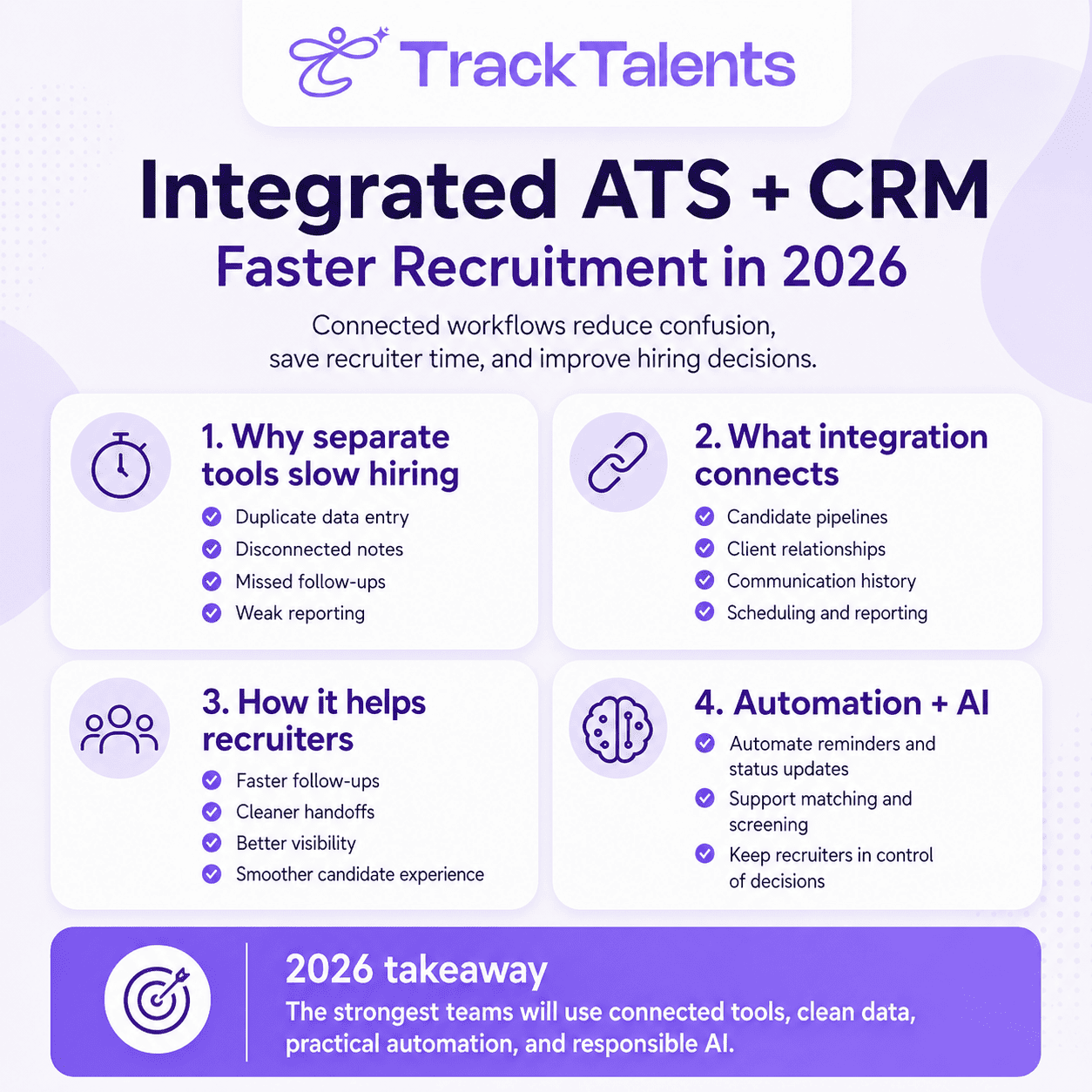
TrackTalents functions as a customizable ATS for recruiters, staffing agencies, and HR teams. Its official site highlights resume management, CRM, unlimited resume uploads, job management, recruiter activity logs, job pipeline, customizable workflows, integrated calendar, mail merge, user management, vendor management, job postings, branded career site, job board integration, Outlook/Office 365/Chrome connection, and permission controls.
The practical point is simple:
LinkedIn Recruiter helps find and contact people.
An ATS facilitates the management of what happens after contact.
For staffing agencies and recruiter-led teams, both sides matter.
When LinkedIn Recruiter Is a Worthwhile Investment
LinkedIn Recruiter is more likely to be worth the investment when a hiring team has clear sourcing demand.
It makes stronger sense when:
- The team hires every month.
- Roles are competitive or hard to fill.
- Passive candidates are important.
- Recruiters already spend time sourcing on LinkedIn.
- Multiple recruiters need shared visibility.
- Hiring managers need collaboration access.
- ATS integration will reduce duplicate work.
- One successful hire or placement can justify the cost.
- Recruiters will use projects, saved searches, notes, and follow-ups properly.
It is especially useful for staffing agencies, executive search firms, and talent acquisition teams that repeatedly source for niche roles.
The value increases when LinkedIn is already a major sourcing channel.
When a Simpler Candidate Sourcing Approach May Work Better
Some teams may get better value from a lighter setup.
Recruiter Lite, job boards, referrals, resume databases, niche communities, or ATS rediscovery may be enough when hiring volume is low or roles are easy to fill.
A lighter setup may work better for:
- Occasional hiring
- Entry positions
- Local walk-in roles
- Hourly hiring
- Jobs filled mainly through referrals
- Roles with strong inbound applicants
- Teams with limited recruiter capacity
- Companies are still fixing their hiring process
A stronger sourcing tool cannot fix unclear job requirements, slow feedback, weak offers, low salary ranges, or poor candidate communication.
LinkedIn Recruiter should be purchased after the hiring workflow is ready to use.
LinkedIn Recruiter Alternatives and Complements
LinkedIn Recruiter is not the only sourcing route. It works best as part of a wider sourcing strategy.
Indeed Smart Sourcing is positioned as a candidate sourcing tool that uses AI-powered sourcing, resume search, and outreach features to help employers find and engage candidates.
Monster offers employer products for job posting and resume search. Its employer page describes Resume Search through Monster Pro, while its resume-search page says employers can search millions of active candidates and view pricing.
ZipRecruiter’s resume database page says recruiters can search resumes by job title, skills, location, education, certifications, recent activity, and other filters.
These platforms may be useful for active job seekers, high-volume hiring, local roles, or resume database searches. For example, Indeed Smart Sourcing might outperform LinkedIn when a company needs to process hundreds of applications for hourly retail or warehouse positions within a week. Monster may be a stronger fit for organizations looking to hire multiple entry-level customer service representatives quickly across several regions, especially when those candidates are likely to use job boards rather than update their LinkedIn profiles. ZipRecruiter can be highly effective for filling roles in specific local markets where job seekers are actively searching and are more responsive to job board outreach than to passive sourcing. These scenarios show how different tools correspond to different types of hiring needs.
LinkedIn may be stronger for:
- Passive professionals
- Senior candidates
- Competitor mapping
- Industry research
- Relationship-led sourcing
- Hard-to-find specialists
The best source depends on the role.
LinkedIn Recruiter vs. ATS vs. Resume Database
| Tool Type | Best Use | Main Limitation |
| LinkedIn Recruiter | Passive sourcing, senior talent, niche roles, competitor mapping | Needs disciplined outreach and follow-up |
| Recruiter Lite | Low-volume individual sourcing | Limited filters, InMails, collaboration, and ATS integration |
| ATS or Recruitment CRM | Candidate tracking, pipelines, notes, interviews, offers, reporting | Needs strong data entry and recruiter adoption |
| Resume Database | Active job seekers and broad search | Candidate freshness and contact access vary |
| Job Boards | Inbound applicants and job visibility | May produce high volume with mixed relevance |
| Referrals | Warm candidates and trusted introductions | May be limited by employee networks |
Recruiters should not treat these tools as replacements for one another. They work best when connected through a clear workflow.
How to Get Better Results from LinkedIn Recruiter
LinkedIn Recruiter gives recruiters strong tools, but results depend on how the team uses them.
1. Start with a Role Scorecard
Before searching, define must-have skills, preferred skills, salary range, location, work model, target companies, and deal-breakers.
2. Search in Layers
Use exact titles, adjacent titles, skills, companies, Boolean strings, and candidate signals.
3. Save Searches
For recurring roles, save strong searches so recruiters do not rebuild the same work every week.
4. Use Projects Properly
Group candidates by role, client, priority, stage, and follow-up status.
5. Write Specific InMails
Mention one or two real reasons the candidate may connect to the role.
6. Track Reply Quality
A high reply rate has limited value if the replies come from unsuitable candidates.
Track qualified replies, not only total replies.
7. Connect Sourcing With the ATS
Candidate notes, replies, screening outcomes, and future-fit tags should not stay in one recruiter’s inbox.
8. Review Source Performance
Check whether LinkedIn produces profile views, replies, screens, interviews, offers, and hires.
If LinkedIn creates attention but few interviews, the search may be too broad. If it creates interviews but few offers, the role, salary, or screening process may need review.
Common LinkedIn Recruiter Mistakes Recruiters Can Fix
Searching Only by Job Title
Many strong candidates use different titles for similar work. Add skill and company searches.
Sending Generic InMails
Passive candidates need relevance. Volume alone does not create trust.
Skipping the ATS Database
Previous applicants, silver-medalist candidates, and old leads may respond faster than cold LinkedIn prospects.
Buying Before Fixing Intake
A sourcing tool cannot correct unclear job requirements.
Trusting Profiles Without Screening
LinkedIn profiles are useful signals, not full verification.
Missing Plan Limits
Recruiter Lite and full Recruiter differ in filters, InMails, collaboration, analytics, AI-assisted features, and ATS integration.
LinkedIn Recruiter Buying Checklist
LinkedIn Recruiter is worth serious review if most answers are “yes.”
- Do we hire for hard-to-fill roles every month?
- Do we need passive candidates?
- Do recruiters already spend time sourcing on LinkedIn?
- Do we need more than a basic LinkedIn search?
- Will 150 monthly InMails per license be used carefully?
- Do multiple recruiters need shared projects?
- Do hiring managers need collaboration?
- Do we need ATS integration?
- Can one hire or placement justify the cost?
- Do we have clear hiring requirements?
- Do recruiters have time to use the tool properly?
- Will we track source performance?
If most answers are “no,” start with Recruiter Lite, job boards, referrals, resume databases, or stronger ATS rediscovery.
Frequently Asked Questions
What is LinkedIn Recruiter?
LinkedIn Recruiter is LinkedIn’s paid sourcing platform for recruiters and hiring teams. It helps users search LinkedIn’s professional network, contact candidates through InMail, organize prospects into projects, use advanced filters, collaborate with teams, and connect with ATS workflows on eligible plans.
How is LinkedIn Recruiter different from Recruiter Lite?
Recruiter Lite is designed for individuals with low-volume hiring needs. LinkedIn lists Recruiter Lite with 20+ filters, 30 InMails per month, and visibility into 1st-, 2nd-, and 3rd-degree networks. LinkedIn Recruiter delivers broader access, 40+ filters, 150 InMails per license, more collaboration, reporting, AI-assisted features, and ATS integration options.
How much does LinkedIn Recruiter cost?
LinkedIn publicly lists Recruiter Lite pricing in USD and says pricing varies by region and currency. Recruiter Lite is listed at $170 per month for one license or $1,680 per year for one license. Larger Recruiter plans require contacting LinkedIn sales.
Is LinkedIn Recruiter useful for staffing agencies?
Yes, especially for agencies that source passive candidates, fill niche roles, place senior professionals, or meet recurring client requirements. Agencies still need an ATS or recruitment CRM to manage candidate records, submissions, feedback, and follow-up.
Does LinkedIn Recruiter replace an ATS?
No. LinkedIn Recruiter supports sourcing and candidate engagement. An ATS manages broader recruitment workflows, including applications, resumes, interviews, client submissions, reporting, offers, onboarding, and candidate history.
Can LinkedIn Recruiter integrate with an ATS?
Yes. LinkedIn Recruiter System Connect works with select ATS partners for eligible Recruiter plans. LinkedIn states that RSC is not available for Recruiter Lite customers.
What are good LinkedIn Recruiter alternatives?
Alternatives and complements include Indeed Smart Sourcing, Monster Resume Search, ZipRecruiter Resume Database, job boards, referrals, niche communities, candidate databases, and ATS-based rediscovery. The right option depends on role type, hiring volume, geography, and budget.
Final Thoughts
LinkedIn Recruiter can help hiring teams find candidates who may never apply through a job board.
That is its value.
But the tool works best when recruiters bring discipline to the process. They need clear role specifications, layered search, specific InMails, proper screening, ATS follow-up, and a monthly source performance review.
LinkedIn Recruiter can help find more possible candidates. It cannot replace recruiter judgment.
For staffing agencies and talent teams, the best setup is often a connected workflow: LinkedIn Recruiter for sourcing, a strong ATS such as TrackTalents for candidate management, and recruiter discipline to turn profiles into real conversations, interviews, offers, and long-term hiring relationships.