
At first glance, recruitment software can seem easy to compare. Most platforms advertise candidate tracking, job posting, automated communication, interview scheduling, integrations, and analytics. These features often look similar in marketing materials. The differences become apparent only when recruiters use them in realistic hiring situations.
Can the system prevent duplicate candidate records? Will a hiring manager complete an interview scorecard without extensive training? What happens when a screening question excludes someone with an equivalent qualification? Can a recruiter correct a parsing error without changing the original resume? If an integration fails, will anyone know?
Questions like these reveal more than a standard feature list.
Suitable recruitment software should address existing problems in the hiring process. It should reduce unnecessary administration, make candidate ownership clear and preserve enough information to explain how decisions were reached. Features that do not fit the organization’s workflow can add cost and complexity without improving recruitment.
Decide Which Type of Recruitment Software You Need
Recruitment software covers several types of platforms. Before comparing features, employers need to determine which category fits their operating model.
An applicant tracking system, or ATS, usually manages applications against specific vacancies. It records candidate stages, interview activity, feedback, communication and hiring outcomes.
A recruitment CRM focuses more heavily on relationships. It may help recruiters organize prospective candidates, build talent pools, record previous contact and run engagement campaigns before someone applies for a particular vacancy.
Staffing agencies often need both. Their software may need to connect candidate activity with client contacts, job orders, submissions, placements and consultant ownership. Some agency platforms combine ATS and CRM functions in a single product. Bullhorn’s ATS and CRM documentation, for example, describes connected candidate and client management because an agency must handle both sides of a placement.
An in-house talent acquisition team has different requirements. It may place greater emphasis on requisition approvals, career sites, hiring manager collaboration, and transferring successful candidates into an HR information system.
The most important recruitment software features therefore depend on who will use the platform and what they need to accomplish.
| Recruitment model | Core requirements | Additional capabilities that may be important |
|---|---|---|
| In-house recruitment | Requisitions, applications, hiring workflows, interviews and offers | HRIS integration, internal mobility, approvals and onboarding |
| Staffing agency | Candidate tracking, client records, job orders, submissions and placements | Sales CRM, contractor management, client portals, timesheets or billing |
| High-volume recruitment | Bulk application handling, screening and rapid scheduling | Branch permissions, hiring events, mobile applications and multilingual workflows |
| Executive search | Research, relationship history and confidential assignments | Longlists, off-limits management, client reports and revenue forecasting |
| International recruitment | Regional workflows, languages and time zones | Data residency, local retention rules and country-specific privacy controls |
A system designed for one recruitment model may work for another, but usually with compromises. Buyers should establish this fit before examining individual features.
The following questions can clarify the operating requirements:
- Who will use the system most frequently?
- Does recruitment center on filling current vacancies or building long-term candidate relationships?
- Does the organization require job approvals, client and candidate matching or contractor management?
- How many people contribute to a hiring decision?
- What information should each user be allowed to view or change?
- Which integrations are essential for business or compliance reasons?
This initial assessment separates genuine requirements from features that may look attractive but have little practical value.
Candidate Records Must Remain Searchable and Accurate
The candidate database sits at the center of most recruitment platforms. It should bring together applications, resumes, contact history, interview notes, status, source information and decision records without forcing recruiters to search through email accounts and spreadsheets.
Storing information is not enough. Recruiters also need to find and reuse it.
Search should work across relevant fields such as skills, previous employers, location, qualifications, availability and application history. Filters, tags and saved searches can help teams revisit earlier candidates, but only when the underlying records remain clean.
During a demonstration, buyers should test how the platform handles:
- Two applications from the same person using different email addresses
- Updated resumes submitted several months apart
- Candidates considered for multiple vacancies
- Previous employees or contractors
- Records imported from an older system
- Spelling variations and incomplete profiles
- Requests to correct or delete candidate information
- Restricted records containing sensitive information
Duplicate detection deserves particular attention. If the system creates a new profile each time someone applies, interview notes and communication history may be divided across several records. Recruiters could contact the same person twice or assess an application without seeing earlier interactions.
Administrators should also be able to define who can view, edit, export, or delete candidate information. A hiring manager may need access to interview evidence but not salary history, identity documents or demographic information collected for monitoring purposes.
The Application Process Should Work for Candidates
A polished recruiter dashboard can hide a frustrating candidate experience. Employers should test the career site and application form as carefully as the internal platform.
Candidates should be able to search for vacancies, understand the requirements, and apply without unnecessary steps. Long forms that make applicants re-enter information already contained in their resumes create more work without necessarily improving the hiring decision.
A practical application experience should provide:
- Clear instructions and field labels
- Mobile-responsive pages
- The option to save and resume longer applications
- Confirmation that the application was received
- Accurate status information when a candidate portal is available
- A straightforward way to request an accommodation or technical support
- Reasonable file-format and file-size requirements
- Error messages that explain what needs to be corrected
- Privacy information presented before or during data collection
Accessibility must be tested rather than assumed. The World Wide Web Consortium recommends using the latest version of its Web Content Accessibility Guidelines, which cover web content and applications across desktop and mobile environments.
Automated accessibility checks can identify some defects, but they cannot replace keyboard testing, screen-reader testing, and feedback from people who use assistive technologies. Buyers should also inspect third-party components within the application journey. An accessible career site provides little benefit if the same candidate cannot complete the assessment or scheduling tool that follows it.
A mobile app for recruiters may be convenient, but not every team needs one. A reliable mobile-browser experience for candidates and hiring managers may provide greater value than an app that few people use.
Resume Parsing Should Reduce Data Entry Without Hiding Errors
Resume parsing converts information from an uploaded resume into structured candidate fields. It may extract names, contact details, employment history, education, qualifications and skills.
Parsing and screening are different activities. A parser organizes information; it does not determine which candidate is most suitable for the role.
A useful parser should handle the file formats, languages and resume styles commonly received by the organization. Recruiters should be able to compare extracted information with the original document and correct mistakes without overwriting the source file.
Testing should include difficult but realistic examples:
- Multi-column resumes
- Employment dates presented in different formats
- Several roles with the same employer
- Professional qualifications written as abbreviations
- Career breaks or overlapping assignments
- Resumes written in supported languages
- Scanned documents when the vendor claims image recognition
- Tables, headers, footers and text boxes
Bulk processing may matter to staffing agencies migrating an established database, but accuracy and error handling are more important than speed alone. A parser that processes thousands of documents quickly can create an equally large cleanup exercise if it places information in the wrong fields.
Buyers should ask:
- Which languages and document formats have been tested?
- How does the vendor measure parsing accuracy?
- What happens when the system has low confidence in an extracted field?
- Can users locate incomplete records that need correction?
- Are parsing errors recorded for later review?
- How are reported errors investigated and resolved?
- Do parsing updates apply automatically?
- How are customers informed when an update changes data extraction?
These questions help buyers assess whether the parser will reduce work or merely move it to a later stage.
Screening Tools Need Transparent Rules and Human Review
Recruitment software may include eligibility questions, knockout rules, candidate matching, resume scoring, or AI-generated recommendations. These functions have different effects and should not be grouped under a general claim of intelligent screening.
A fixed rule may mark an applicant as ineligible after they confirm that they do not hold a license legally required for the role. A matching model may compare a candidate’s profile with a vacancy and recommend people it considers relevant. The first follows a criterion selected by the employer. The second produces a prediction based on the available information and the model’s design.
Neither approach guarantees a sound hiring decision.
Recruitment teams should be able to determine:
- Which information influences the result
- Whether each criterion is mandatory or preferred
- Why a candidate received a particular score or recommendation
- Who can change the screening rules
- Whether a recruiter can review and override an outcome
- How rejected applications can be sampled and audited
- Whether the vendor tests for accuracy and potentially unfair outcomes
- How changes to rules or models are documented
The US Equal Employment Opportunity Commission has warned that software and AI used in hiring can create disability-related barriers and may contribute to unlawful discrimination. Its guidance on AI and the Americans with Disabilities Act is relevant when employers evaluate digital assessments, resume scoring and automated selection tools.
The UK Information Commissioner’s Office has advised organizations procuring AI recruitment tools to examine lawful processing, transparency, data minimization, accuracy and bias. Its guidance on buying AI recruitment tools recommends clarifying responsibilities with the provider and explaining to candidates how automated tools use their information.
Within the European Union, the EU Artificial Intelligence Act classifies certain AI systems used to analyze or filter job applications and evaluate candidates as high-risk. The regulation applies in stages, with most provisions applying from 2 August 2026.
Requirements vary between countries. A vendor’s statement that its software is compliant does not establish that every use of the platform will be lawful.
Job Posting Features Should Preserve Control Over Content and Sources
Multi-posting can save recruiters from publishing the same vacancy separately across several job boards. The feature is useful when it preserves control over the advertisement and records reliable source information.
Buyers should check:
- Which job boards and career sites are supported
- Whether integrations are direct or handled through another distributor
- Which fields transfer to each destination
- How edits and closing dates are synchronized
- Whether duplicate job postings can be prevented
- Where candidates complete the application
- How the original application source is recorded
- Whether sponsored postings require separate contracts or fees
- How location, salary and remote-work fields are handled
The number of supported job boards is not a meaningful measure by itself. A recruitment team may rely heavily on five channels and have little use for hundreds of others. What matters is whether the required integrations work reliably and whether the system can show which sources produce applications, interviews, offers and hires.
Source attribution should distinguish between job boards, employee referrals, recruitment agencies, direct applications, campaigns and recruiter outreach. If users can change a source without controls or an audit trail, later reports may be unreliable.
Interview Scheduling Should Handle Real Calendar Problems
Scheduling becomes difficult when several interviewers, locations, and time zones are involved. Recruitment software can reduce the email exchange by connecting with calendars and presenting available times to candidates.
A useful scheduling feature should account for more than one interviewer’s availability. Depending on the hiring process, teams may need:
- Panel and sequential interviews
- Interviewer pools
- Time-zone conversion
- Minimum notice periods
- Preparation and travel buffers
- Room or video-link booking
- Candidate self-scheduling
- Rescheduling and cancellation controls
- Automatic reminders
- Interview kits attached to invitations
- Separate instructions for interviewers and candidates
Candidate self-scheduling can reduce administrative work, but the recruitment team still needs to decide which times to offer and what to do when none is suitable. Recruiters should be able to intervene without losing the original booking history.
The software should also protect private calendar information. Candidates need to see available interview times, not the titles or attendees of unrelated meetings.
Interview management extends beyond scheduling. Structured scorecards, agreed competencies, and reminders can help teams collect feedback while the discussion remains fresh. The platform should preserve independent interviewer observations while making incomplete or overdue evaluations visible.
Communication Automation Should Improve Timing
Templates can reduce repetitive writing and ensure that candidates receive essential information. Common uses include application acknowledgments, interview instructions, reminders, document requests, status updates, and rejection notifications.
The usefulness of a message depends on its timing and content. A well-written template sent at the wrong stage can confuse candidates. Frequent updates add little when none explains the application status or what the person should do next.
Recruiters should be able to preview, edit, and stop automated messages before they are sent. The system should display:
- The event that triggers each message
- The audience and exclusion rules
- The sender and reply address
- Personalized fields used in the template
- The candidate’s preferred language or communication channel
- A history of sent, delivered, failed and answered messages
- The effect of moving a candidate backward or skipping a stage
Email sequences and newsletters belong more naturally to candidate relationship management than basic applicant tracking. They may be useful for past applicants, prospective candidates and talent communities, but organizations need clear rules for who enters a campaign, how often they are contacted and how they can opt out.
Text messaging or WhatsApp integration may suit particular markets and hiring models, but no single communication channel is appropriate for every candidate. Consent, candidate preference, message sensitivity and local rules still apply.
Collaboration Features Should Produce Better Evidence
One person rarely handles an entire recruitment process. Recruiters, coordinators, hiring managers, interviewers and HR leaders may all contribute to the same vacancy.
A shared workflow can clarify ownership by showing who is responsible for reviewing an application, arranging an interview, completing feedback or approving an offer. Collaboration features may include tasks, mentions, notes, scorecards, permissions and approval routes.
The quality of the record matters more than the number of comments.
A note such as “not the right fit” explains little. A useful evaluation identifies the competency assessed, the evidence observed and any remaining concern. Recruitment software should make structured, job-related feedback easier to record without forcing every vacancy into the same interview design.
Permissions should reflect each person’s involvement. Occasional interviewers may need access only to the candidate, interview plan and scorecard assigned to them. Finance may need to approve compensation without seeing unrelated interview notes. Administrators should be able to review permission changes and remove access when responsibilities change.
Recruitment Analytics Should Answer Operational Questions
Dashboards are useful when they guide the team’s next action. A large collection of charts is not valuable merely because it looks comprehensive.
Recruitment software may report on:
- Applications awaiting review
- Candidate volume at each stage
- Time spent at each stage
- Source-to-screen and source-to-hire conversion
- Interview completion and scorecard submission
- Candidate withdrawals
- Offer acceptance and decline
- Rejection reasons
- Recruiter or coordinator workload
- Placement activity for staffing agencies
Everyone needs to agree on what each metric means. Time-to-fill, for example, may begin when a vacancy is approved, published or assigned. Source quality may refer to applications, interviews, hires, retention or revenue. Without agreed definitions, teams may report different figures under the same metric.
Data quality is equally important. If recruiters leave candidates in the wrong stage, omit rejection reasons or select inaccurate sources, reports will drift from reality. The dashboard may still appear complete, but it will not provide a dependable account of the hiring process.
Buyers should test whether reports can be filtered by role, department, recruiter, location, source and date. They should also confirm that the detailed records behind each report can be exported for further analysis and that historical information remains available after configuration changes.
Real-time reports are useful only when people keep records up to date. Training, clear responsibilities, and required fields may improve reporting more than another dashboard.
Integrations Need Clear Ownership and Failure Handling
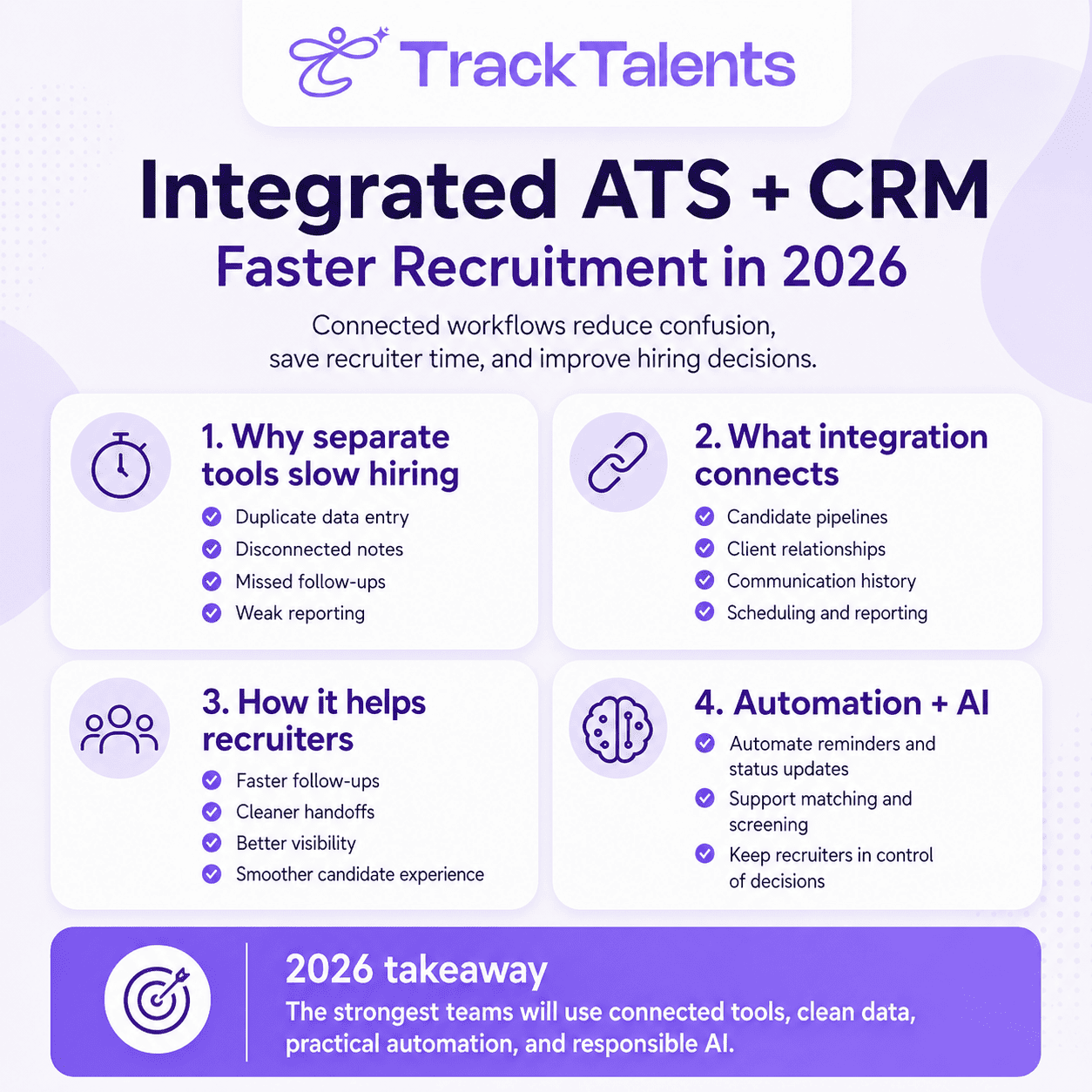
Recruitment software commonly connects with email, calendars, job boards, assessments, background-screening providers, e-signature tools, HR systems and onboarding platforms.
Integrations can remove duplicate data entry, but they can also create conflicting records when they are not managed carefully.
The team should know which system contains the authoritative value for each field. If a candidate changes an email address in the ATS, will the onboarding platform update automatically? If an accepted offer is withdrawn, will the HR system remove or amend the pending employee record? If a transfer fails, who receives the alert?
Evaluation should cover:
- Data transferred in each direction
- Update frequency
- Field mapping
- Duplicate handling
- Error notifications and retry rules
- User permissions
- Data deletion and retention
- API limits and additional charges
- Vendor responsibility for technical support
- The effect of future software updates
A pre-built integration is not proof that the connection will meet the organization’s needs. Buyers should test it with their own data, workflows and likely error scenarios.
Security and Data Controls Are Core Product Requirements
Recruitment platforms hold personal information that candidates may not expect to be widely accessible. Depending on the process, this can include employment history, contact details, salary expectations, identity documents, demographic information, health-related accommodation requests and screening results.
Do not wait until the contract review stage to evaluate the software’s security. Buyers should examine:
- Role-based permissions
- Single sign-on and multifactor authentication
- Encryption in transit and at rest
- Administrative and candidate activity logs
- Data-hosting locations
- Backup and recovery arrangements
- Security-incident notification
- Retention and deletion controls
- Candidate data export and correction
- Subprocessors with access to information
- Independent security assessments or certifications
- Procedures for closing inactive user accounts
Security documentation must cover the exact product being purchased, including any AI modules, mobile applications and third-party integrations. The NIST cybersecurity and privacy resources provide recognized frameworks and guidance that organizations can use when structuring technology risk reviews.
Candidate-data retention also deserves close attention. Keeping every applicant indefinitely may seem useful for future sourcing, but it can conflict with data protection requirements and increase exposure if an account is compromised. Retention periods should reflect the organization’s purpose, local requirements and documented policy.
Implementation and Support: Determine Whether Features Are Used
Even capable software can fail when it is poorly configured or difficult to use. Implementation should be assessed as part of the product rather than treated as an afterthought once the purchase has been completed.
Buyers need a realistic account of:
- Data migration and cleanup
- Workflow configuration
- Career-site setup
- Integration work
- User and permission design
- Template creation
- Report configuration
- Administrator and end-user training
- Testing and acceptance
- Post-launch support
Customer support should be judged by access and problem resolution, not by the number of channels displayed on a vendor’s website. Buyers should ask which service hours apply to their region, what response times are included, whether configuration advice is available and which services cost extra.
Customer references may provide useful information about support quality, but buyers should ask specific questions. How quickly were urgent issues acknowledged? Did the vendor resolve the underlying problem or provide only a temporary workaround? Did response times change after implementation?
Buyers can also test support during the evaluation period by submitting a realistic question and recording the speed and usefulness of the response.
Documentation is equally important. Recruiters need short, task-focused guidance, while administrators require detailed information about permissions, workflows, integrations and reporting.
The system should also be tested with people who use it infrequently. Hiring managers may log in only when they have a vacancy to fill. If they cannot approve a requisition or submit feedback without assistance, the work will return to email, and the central recruitment record will become incomplete.
Use Real Hiring Scenarios to Compare Vendors
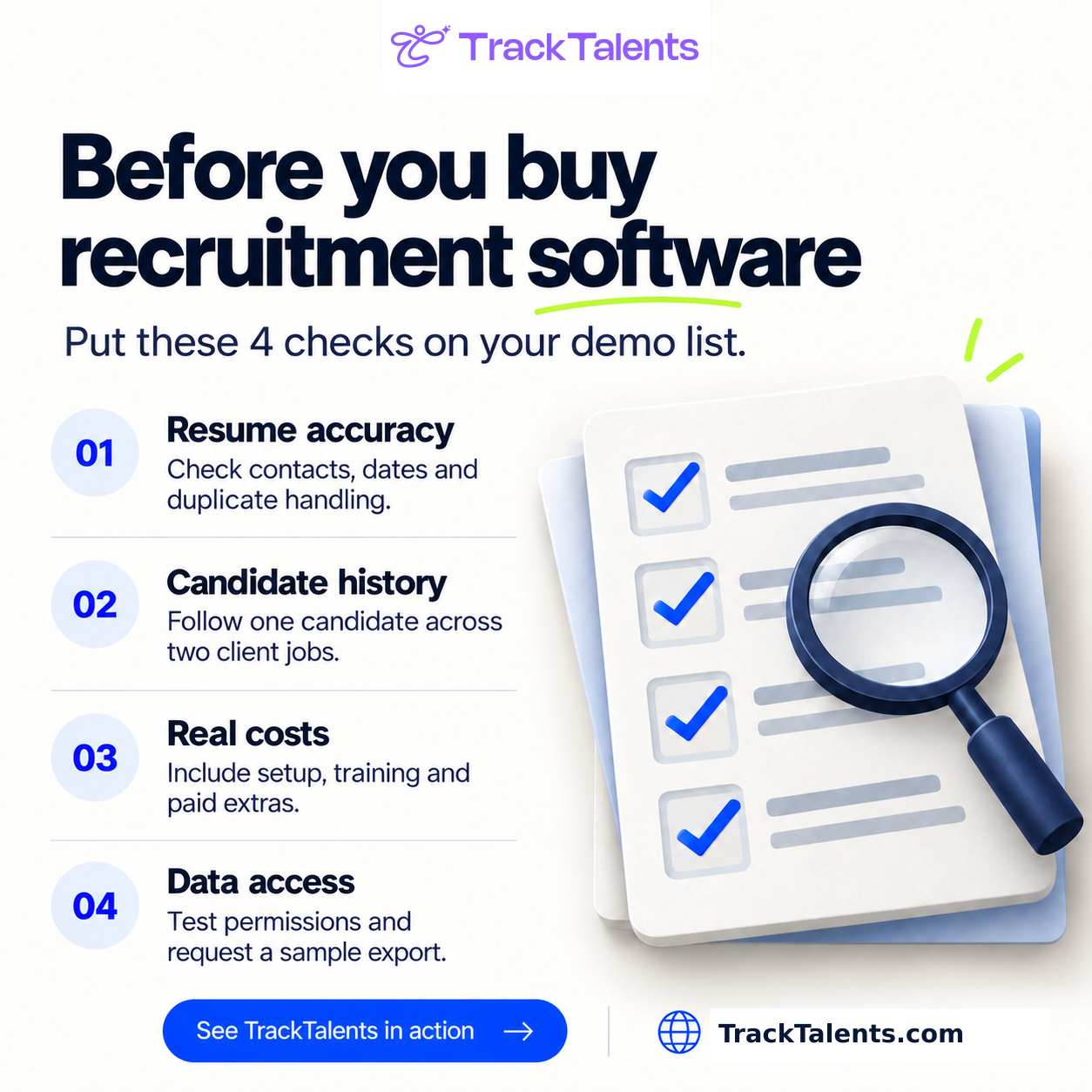
A product demonstration is most useful when the buyer controls the scenario. Instead of watching a standard presentation, ask each vendor to complete the same tasks using realistic roles and sample data.
A practical test might include:
- Create and approve a vacancy with two approval levels.
- Publish it to the career site and a required job board.
- Submit applications in different resume formats.
- Process an applicant with an equivalent qualification that does not match the default screening term.
- Arrange a panel interview across two time zones.
- Collect independent scorecards and complete an approval.
- Transfer the successful candidate into the onboarding system.
- Produce a report showing source, time in stage, and rejection reasons.
- Correct a duplicate record and process a candidate deletion request.
- Demonstrate what users see when an integration or automated message fails.
Decide how much each requirement matters before demonstrations begin. A feature used every day should carry more weight than one required twice a year. Separate mandatory requirements from preferences so that an attractive extra does not distract from a missing operational need.
Shortlisted systems should then be tested by representative recruiters, hiring managers and administrators. Record how long each task takes, where errors occur, which workarounds are needed and what problems candidates may encounter.
Feedback such as “easy to use” provides little evidence. A stronger assessment records which tasks people completed without assistance and where they became confused.
Choose Recruitment Software That Fits the Work
Select recruitment software according to how well it supports the organization’s work, not the length of its feature catalog.
Map the existing recruitment process before speaking to vendors. List each stage from job approval to offer and onboarding. Involve recruiters, hiring managers and other users so the map reflects how work actually happens rather than how the process is supposed to operate.
A flowchart, digital whiteboard or spreadsheet can show where information moves, where tasks are repeated and where delays occur. Identify the points at which information is lost, decisions stall, candidates receive poor communication, or recruiters repeat the same task. These problems should form the basis of the requirements and demonstration script.
The selected platform does not need to remove every manual activity. It should automate routine work, keep candidate information usable, make accountability clear and preserve human review where decisions have meaningful consequences.
The strongest choice is the system that performs the organization’s most important workflows reliably, protects candidate information and can be used consistently by the people responsible for hiring.