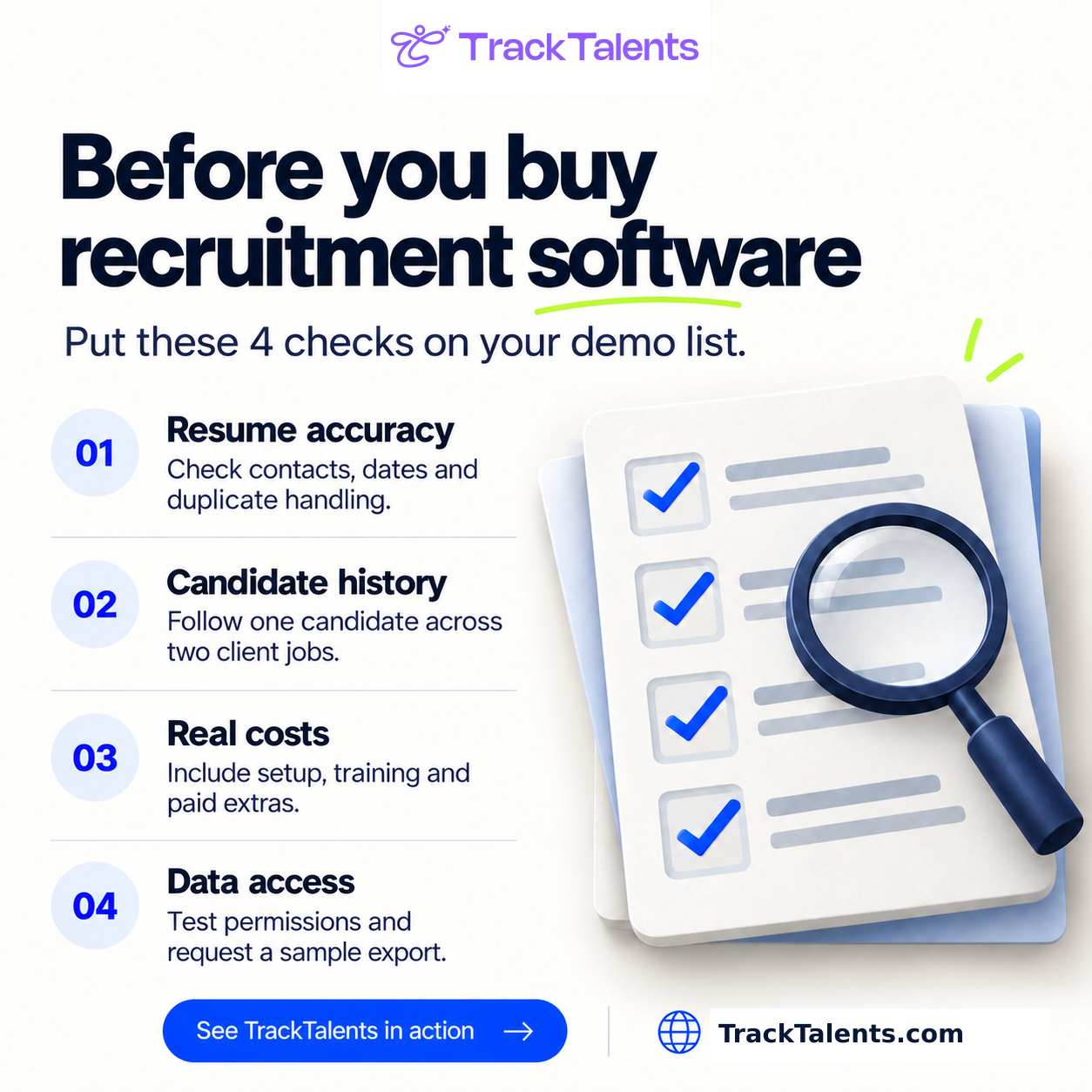
A sales demonstration could show how quickly a recruiter can add a candidate, publish a job, or move an application to the next stage. However, such actions reveal only part of the situation. You also need to understand what happens when two recruiters try to contact the same person, when a client changes requirements, when an imported resume contains errors, or when an integration stops working.
Staffing agency software should keep candidates, clients, jobs, conversations, and submissions linked. Depending on the business type, it may also need to handle temporary assignments, timesheets, payroll transfers, and billing. Before you compare products, decide what the software needs to do. Although both a permanent-placement agency and a temporary staffing company need applicant tracking and client management, their requirements differ significantly once a candidate accepts an offer. The checks below will help you spot the differences, verify the assertions made in the demonstrations, and get a clear idea of what you are agreeing to before you sign.
What does your agency need the software to do?
Begin by looking at the problems your team encounters during a typical workweek. The statement “We need better recruitment software” doesn’t provide enough information to compare different products, whereas “Recruiters cannot see whether someone has already submitted a candidate to the same client” describes a specific problem you can test. Record where information is lost, identify tasks that require re-entering data, and note what managers can’t see unless they request a spreadsheet. Then relate these problems to your agency’s operating model.
If You Recruit for Permanent Positions
Start from when you receive a client’s requirement and go through to recording the placement. The software must enable your team to link client accounts, contacts, vacancies, candidates, submissions, interviews, offers, and placement records. The records themselves are just as important as the relationships between them. A candidate might not be suitable for one post but could still be worth getting in touch with for another. A client might have several hiring managers, each in charge of different posts. A recruiter might have to go back and review a submission they made months earlier.
See if that history is still easy to find.
You should also determine where the fees for placement, guarantee periods, replacement obligations, and recruiter commissions will be recorded. This information may be stored in recruitment software, accounting software, or another system. The key point is that responsibilities must be clear and the right people must be aware of them.
If You Supply Temporary or Contract Workers: Carry out the evaluation after placement. You may need to record availability, assignment dates, extensions, schedules, approved hours, pay rates, and client bill rates, and also transfer that information to payroll and accounting. It would be wrong to assume the features mentioned are included simply because the product calls itself staffing software; ask the vendor to specify which activities happen on the platform and which must be handled by a separate service. If your clients use vendor management systems, make sure to check that process, too. Once job orders reach your recruiters, how are applications recorded? Who verifies that the information transferred correctly?
If Your Agency Handles Both Types of recruitment, check permanent and temporary recruitment separately.
A product that does a good job with permanent placements could still require your temporary staffing team to work using spreadsheets.
If your agency handles both permanent and temporary recruitment, check how the teams share candidate information. When one recruiter amends a candidate’s profile, does the system ensure that the other recruiter has access to the relevant details? Is it clear to all parties whether the candidate is seeking a permanent position, available for temporary work, or already on an assignment? A company’s in-house HR department recruits staff for its own organization. A recruitment agency, on the other hand, works with multiple clients, each with different job vacancies, contacts, and requirements. Therefore, before selecting software for internal hiring, you must verify that it can keep client relationships and recruitment processes organized.
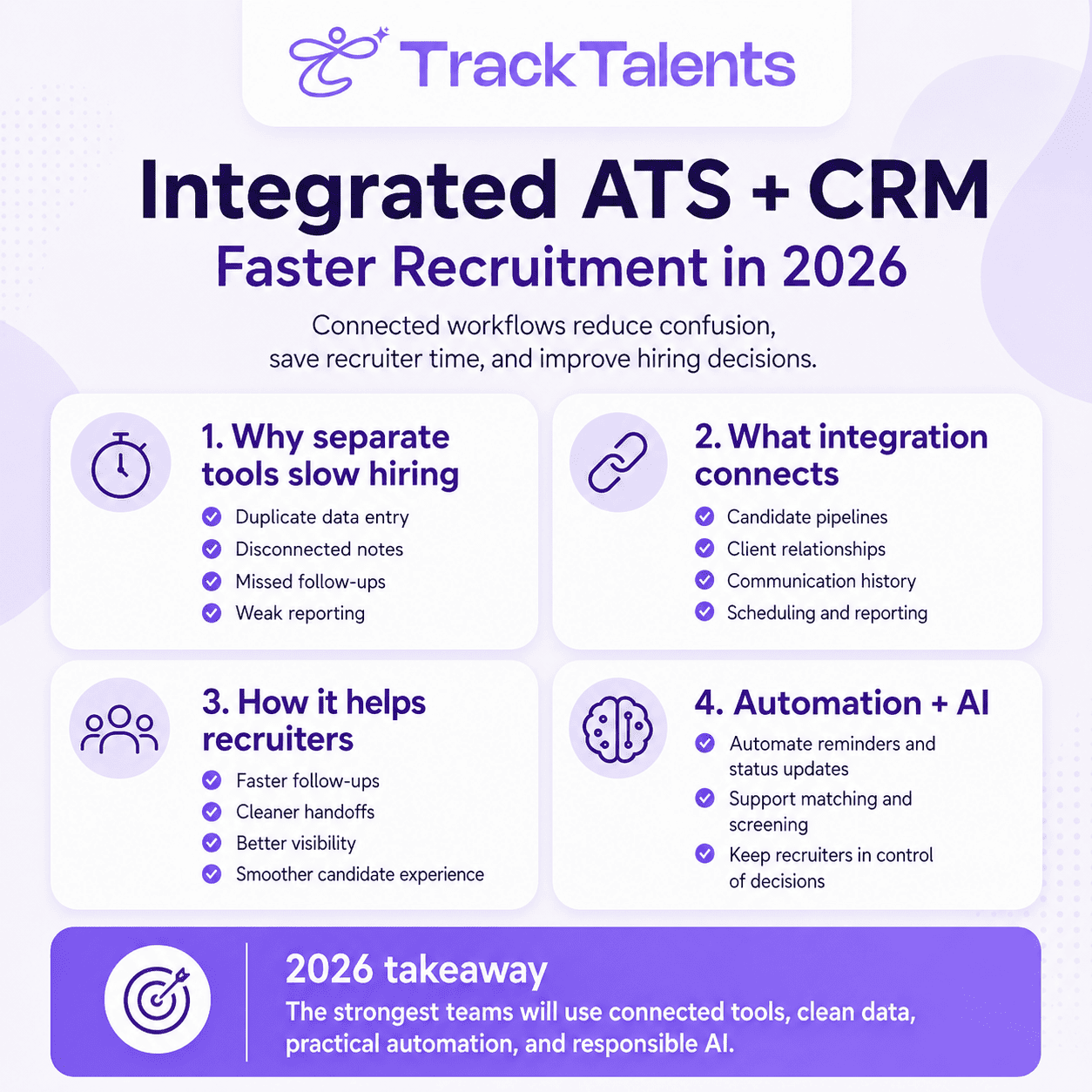
What does an ATS do, and when do you also need a CRM?
Similar product descriptions can make it difficult to compare recruitment software, so first find out what each system does. An applicant tracking system, or ATS, brings together all information about candidates and the progress of the recruitment process. With different products, recruiters can use the system to store resumes, review applications, add comments during screening, schedule interviews, record offers, and find earlier conversations. A recruitment CRM can manage relationships that go beyond a single application, but vendors interpret the term differently: some focus on candidate relationships and maintaining talent pools, while others focus on client accounts, business development, contacts, and sales opportunities. Instead, assume that the label applies to both sides of your agency and ask what the CRM actually manages.
Recruitment marketing software can handle tasks like maintaining career pages, running recruitment campaigns, and attracting applicants. One platform might have these features or else you could buy them individually. Generally, HR software focuses on employee administration, covering areas such as leave, benefits, payroll, and employee records. However, these features do not inherently include client submissions, placement history, or agency business development.
When evaluating an ATS for staffing agencies, ask the vendor to demonstrate:
- A history of the candidate in relation to a number of different jobs.
- A record of a client’s history from various contacts and requirements.
- The advancement of a single candidate in relation to one particular client position.
- The third point is easy to miss. A candidate may be interviewing with one client while waiting for feedback from another, so a single status on their profile can’t accurately reflect both situations.
What Problems Does the Software Need to Solve Before You Can Think About Buying It?
For each requirement, you should explain the existing problem, the behavior that is desired, and specify what would make the suggested solution unacceptable.
For example:
- The issue is that recruiters inadvertently submit candidates who were previously rejected by the same client.
- What is required is that, before you submit your application, the recruiter should be able to view previous submissions to that client, along with the position, date, feedback, and outcome.
- It would be unacceptable if the information could be obtained only through a report which an administrator had to prepare.
- This means it is harder to meet the requirement by simply stating that the software keeps a record of candidate history.
- Distinguish between essential requirements and preferences. An essential requirement is one your agency cannot reasonably function without, while a preference enhances the experience but allows an acceptable alternative.
- Be honest when considering those options; a manual step might be reasonable if the task is done twice a month but could become a serious burden if it’s required for every candidate submission.
- Recruiters, account managers, operations team members, and anyone who puts together management reports should all be involved. They will have different concerns. Identifying these differences early will prevent one department from selecting software that creates extra work for another.
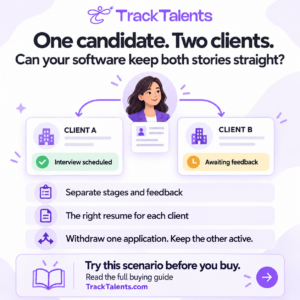
What happens when two clients are looking at the same candidate?
- Ask the vendor to show how this works using made-up records of candidates and clients.
- Put the candidate forward for two positions with different clients, move one submission to the interviewing stage while keeping the other under review, and provide individual feedback for each.
- Have another recruiter open the record and explain what is going on.
They should be able to identify:
- Which clients received the candidate’s details.
- The version of the resume that each client received.
- The present stage of each submission.
- Who is to be held responsible for the next action?
- The candidate’s availability or expectations may have changed.
- Remove the candidate from one opportunity whilst leaving the other one active.
Does the withdrawal apply merely to the relevant submission or does it instead alter the candidate’s overall status in a confusing way? Is the reason for it recorded? And can the candidate still be located for future positions?
Also check what clients can see. When viewing the submission email, document, or portal from the recipient’s perspective, internal notes, confidential conversations, and details about another client should remain outside that view unless intentionally shared.
The purpose of this test is to determine if the product is able to deal with a typical agency scenario without confusing the information.
Can recruiters find suitable candidates among those already in your database?
Before you assess a search based on how quickly it returns results, make sure the results are useful. Design your searches around the positions your agency usually fills, and include both simple and more difficult requirements, such as an unusual job title, skills described in different terms, a location preference, or experience noted in the records. Before running the searches, decide on a few records you expect to find. This provides you with a practical basis to refer to. Next, review the fields the system searches, how the filters interact, and whether the results include any historical information.
Can recruiters search through notes as well as resumes?
Can they save a search and share it with colleagues?
Can they see when a candidate’s details were last updated?
Search quality and record quality are two different matters. A capable search tool can’t find information your agency has never recorded. Similarly, complete records are of little use if recruiters cannot access them.
As part of the exercise, test duplicates by creating two fictional records for the same individual, using either slightly different names or slightly different email addresses.
Find out how the product detects a possible duplicate and what happens when the records merge. Make sure that the notes, submissions, documents, and ownership information are retained. Find out whether an incorrect merge can be reversed.
Does resume parsing pick up the details that your recruiters depend on?
The fact that the software supports PDF and Word documents tells you what file types it will accept. It doesn’t indicate how accurately it reads them.
Parsing a resume involves extracting information from a document and placing it into fields such as the person’s name, contact details, employment history, skills, and education.
Test the software using sample resumes similar to the ones your recruiters actually receive. Use either fictional resumes or documents for which you have proper permission. Include various layouts and work histories, such as two-column resumes, consulting projects, jobs with overlapping dates, certifications, and long lists of technical skills.
If your team frequently scans resumes, check whether the software can read them or if you will need a separate tool.
After uploading each resume, compare the software’s captured information with the original. Check:
- Names, phone numbers, and email addresses.
- Employers and job titles.
- Employment dates.
- Qualifications and certifications.
- Relevant skills.
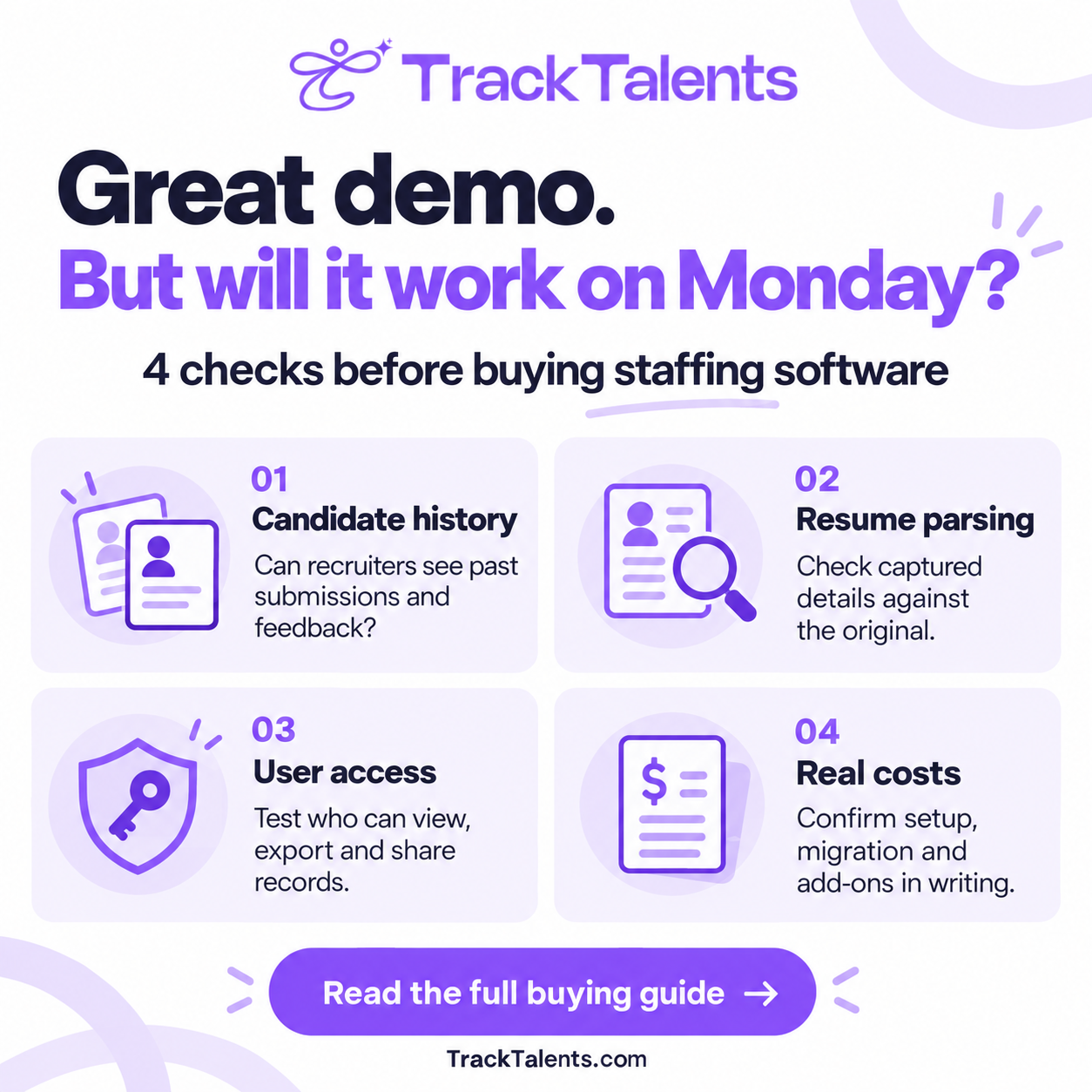
Beyond the number of errors, consider how each one might affect the recruitment process. For example, if the phone number is wrong, a recruiter won’t be able to reach the person. If a certification is missing, the candidate will be excluded from the search results. If the employment dates are incorrect, recruiters will get a distorted view of the person’s experience.
Then make the corrections and upload the revised resume. Does the product retain the corrections, replace them, or generate a new record?
No single accuracy figure can decide the matter. Your agency must determine what kinds of errors occur, how often they need correction, and whether the repercussions are acceptable.
What happens when an automated action proves incorrect?
Don’t stop after seeing one instance of automation in action; for example, if moving a candidate to a certain stage sends an email, find out what happens if the recruiter moves the person back, repeats the stage, or changes the email address.
Can the message be checked before it is sent? Can an administrator suspend the rule? Is there a record of what caused the action and whether it was successful?
Test the candidate’s replies and communication preferences. If the candidate requests not to receive any further messages, verify the effect of that request on individual emails, campaigns, and any connected services.
When using matching or ranking tools, it is important to understand what information affects the results. Can recruiters examine the evidence behind a recommendation? Can they address incomplete data and consider candidates not on the suggested shortlist?
A score should be examined. Its existence does not mean the candidate order is suitable for a given vacancy.
It is also necessary to distinguish between administrative automation and selection decisions. The consequences of setting up an interview reminder are different from those of deciding which applicants move on.
After you put the automation rules into action, assign someone to check them. The rule might continue to operate as it was originally configured even if the process it supports changes.
Will the Integrations do your work for you, or will you have to do it manually?
An integration logo doesn’t explain what the connection actually does.
Look at what occurs when the contract is renewed. Can the provider raise the price and, if so, how much notice will you get? How early do you have to cancel to avoid entering another term? If your team decreases, can you reduce the number of paid accounts, or must you continue paying until the contract expires?
Staff time refers to time used in implementation, not other types of work; it does not have to result in additional payroll costs. These figures are examples and should not be treated as market averages or as a provider’s quotation.
In its second year, eliminate the nonrecurring costs and recalculate the subscriptions, support, and usage charges. Also, determine what the situation would be if you employed more recruiters, since you might then need additional licenses, a higher subscription plan, or both.
How will your team use the time it saves?
If each of six recruiters saves 20 minutes a day over 20 working days, they will recover 40 hours in a month.
The financial advantage depends on how they use that time; it might let recruiters follow up earlier, spend more time reviewing candidates, talk to more clients, or work less overtime. More time doesn’t mean more placements.
First decide what improvement you want, then see whether it occurs after implementation.
Does the documentation correctly present what took place?
Request that the provider explain the method by which the software calculates the figures you will use to assess performance.
For instance, when does the time-to-fill start being calculated—when the client requests a position, when your agency accepts it, or when a recruiter sets up the job record?
In a similar situation, should a candidate be considered submitted when their status changes, or only when you send their details to the client? Try out a job that includes dates and activities that you are already familiar with. Generate the report and then compare the results with the records.
Make a few realistic adjustments, reopen the job, move the candidate back to an earlier stage, or assign the recruitment task to a different recruiter, then check how these changes affect the figures.
For permanent recruitment, useful reports can show how many applications lead to interviews, how many offers are accepted, and where client decisions cause delays.
Temporary staffing agencies might also require reports that include details on assignments, attendance, approved hours, and margins. Find out which system provides that information and how it gets into the report.
Reports should be selected based on the business questions they address. A recruiter who makes more calls or sends more emails does not necessarily achieve better results.
Lastly, download the report and verify that the management can compare it with the accounting records. Find out whether changing an older record affects figures already reported and whether those changes can be traced.
What U.S. hiring rules could influence the way you use the software?
You are still liable for how you use recruitment software, and a provider’s compliance does not mean every feature or setting meets the requirements for your activities.
Make sure the screening, recordkeeping, and access process you use are the ones you plan to use.
Can a screening feature unfairly rule out candidates?
The Employment Opportunity Commission states that employment tests and employee selection processes can create discrimination issues, particularly when a procedure disproportionately excludes a protected group without a legal basis. The Commission’s guidance also covers reasonable accommodation during testing. www.eeoc.gov
Before you turn on a screening or assessment feature, find out what it measures, how the results affect decisions, and who can review them. Give the candidate plenty of time. If a person needs help or an accommodation, can they easily find out who to contact and how to proceed?
Does your use of AI fall within the scope of the automated-hiring rules?
Local Law 144 in New York City imposes conditions on how employers and employment agencies use automated employment decision tools. These conditions require a bias audit conducted in the previous year, public access to the audit information, and required notices. www.nyc.gov
The term AI alone doesn’t show whether a feature falls within the law’s definition; in this case, you must look at the tool’s function and how you plan to use it.
If the requirements apply, request documentation specific to the tool and process you intend to use; a general assertion that the platform is compliant is not enough to address those questions.
Can the automatic deletion feature be used to remove records you are required to keep?
Before you implement automatic deletion, determine how long your agency must keep each type of record.
The EEOC states that covered employers have different record-keeping requirements. It also makes clear that you must keep records relevant to a discrimination claim until the claim or associated legal proceedings are finally resolved. www.eeoc.gov
Review the requirements that apply to your agency, then verify that the software can meet them. Can you set different retention periods, limit access, and suspend deletion when certain records must be preserved? Recruiter Access or Share Information They Should Not?
Check the system using both a regular recruiter account and an administrator account.
Determine which records each user can open, modify, download, share, or delete. Try exporting multiple records at once and accessing shared links without logging in. This will indicate whether the access restrictions function properly beyond the main screen. Also, check the connected services and former employees’ accounts. When an employee leaves, can you remove their access, disconnect their email account, and review the links they previously shared?
The objective is to determine whether people can access your information and to confirm that access stops when it should.
Start by selecting a task your team needs to carry out, then trace the information through both systems.
For email, check that the connection sends messages, records replies, synchronizes conversations, and attaches activity to the correct record. If a message contains more than one candidate or client contact, what happens with calendars, test cancellations, rescheduling, time zones, and events created by someone who later leaves the agency?
For job boards, determine which channels are supported, whether you need a paid account, and how applications are sent back to the recruitment system.
When running a payroll or accounting process, transfer the test records, then check the results. Make sure you’ve properly handled the required fields, identifiers, rejected records, and corrections.
For every important integration, ask:
- What kind of information is passed between the systems?
Does it move in one direction or in both?
- How fast does it update?
- What subscriptions or external accounts are needed?
- Who identifies failures and fixes them?
If custom development is necessary, ask for a separate scope and cost estimate. You should also determine who owns the connection and who is responsible for maintaining it if either system changes.
Just because an API exists doesn’t mean the integration is complete or ready for use.
How Much Will You Pay in Addition to the advertised subscription?
Request a written-out breakdown of the entire arrangement that your agency requires.
Make sure to include the licenses, minimum commitments, implementation, migration, training, support, integrations, messaging, storage, add-ons, and relevant taxes.
Even if the screen is restricted, it provides only limited protection since the same information can still be obtained through an unrestricted download.
Ask the provider for copies of the latest documents explaining the measures it takes to protect your information, including login security, encryption, backups, how it handles security incidents, and which other companies process or access your data.
When a provider offers a security certification or assessment report, make sure that it relates to the product you are purchasing, the company that produced it, and the appropriate dates.
For AI features, find out whether any candidate or client information is sent to a different company. If it is, you need to find out how long that company retains the information and whether it can use it to train AI models. If the answers to these questions influence your decision to proceed with the purchase, make sure that the company includes its commitments in the contract.
Now set up a test recruiter account and deactivate it; check whether the account has been logged out of all existing sessions, whether its connection to the mailbox has been severed, and what effect this has on its assigned tasks and shared links.
These checks confirm that the access restriction works both when the software is used normally and when someone leaves your organization.
Will your candidate and client history carry through the move?
Successful data movement involves more than just transferring the correct number of records.
A person’s resume, notes, applications, and earlier submissions should still be linked to them, and client contacts, job vacancies, and placements as well so that recruiters can understand what took place without having to search through separate files.
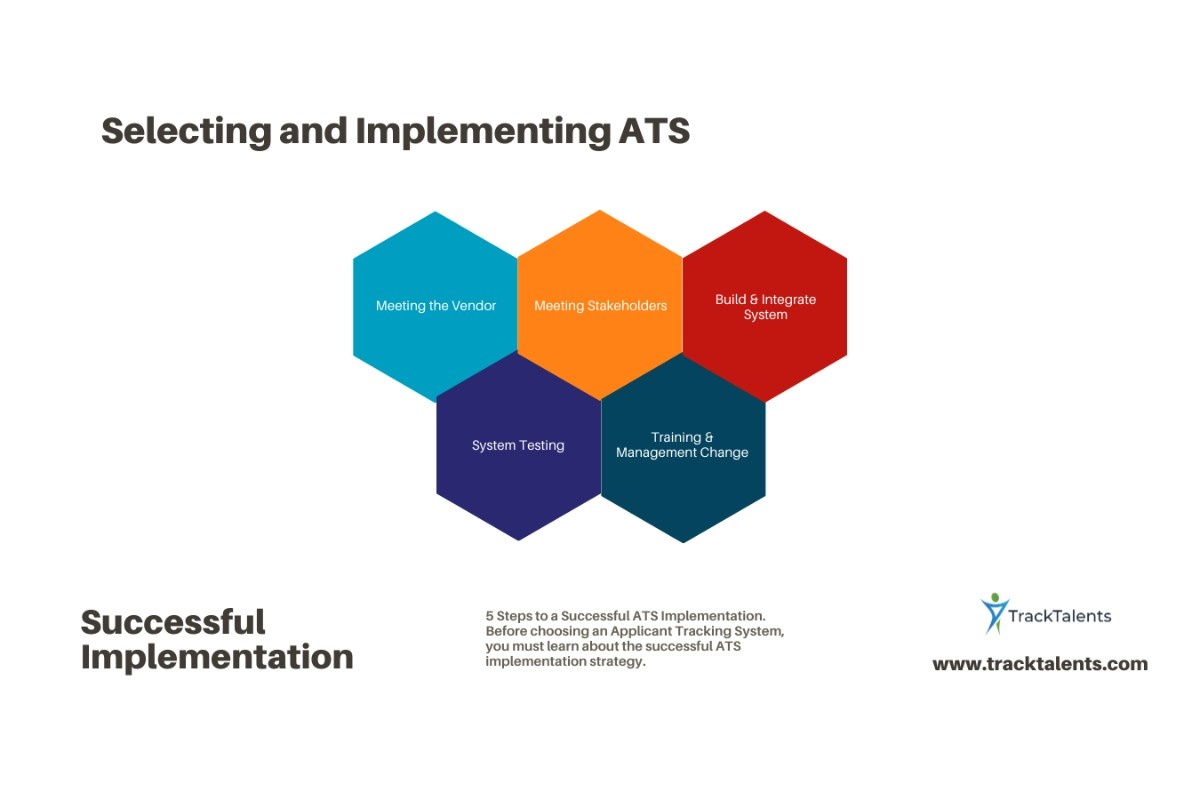
Before you sign the agreement, request a written list specifying what the provider will transfer and what it will not. Ask specific questions about attachments, email history, custom fields, and records showing who made changes and when.
Start the migration process with these steps:
- Provide a list of the data you currently have, where it is stored, its file formats, and who is responsible for it; also identify any duplicate records and decide which ones to move, archive, or exclude.
- Agree on the way the fields, stages, users, and relationships will be displayed in the new product.
- An example of a migration, involving detailed records and historical relationships.
- Carry out a thorough review by verifying the number of records and following all the candidate’s examples through to their placement.
- Finalize the transfer plan by deciding on how the changes made during the transition will be recorded.
- There should be clear conditions for acceptance; the problems that need to be corrected before launch should be identified and approval of readiness should be obtained.
Ensure that arrangements for a fallback situation and for continuing to use the previous system are in place.
Determine the implementation date based on the amount of work involved. Even if the database is small, readiness can still be affected by inconsistent records, missing identifiers, and limited staff availability.
What Tests Should Your Recruiters Carry Out During a Trial?
Make sure shortlisted vendors receive the same scenarios so you can fairly compare the evidence.
Ask a recruiter to use the software as they would during a normal working day:
- Include the client’s vacancy and job requirements.
- Search the current database for appropriate candidates.
- Upload your resume, check the details the software captured, and make any necessary corrections.
- Include notes from the conversation during the screening.
- Put the candidate’s profile together for the client.
- Arrange an interview and take down the client’s feedback.
- Advance the candidate to the next stage with one client while keeping the candidate’s application active with another client.
- Prepare a report and download the relevant records.
If your agency provides temporary workers, you should also investigate what occurs when an assignment is altered or when someone has to amend the approved hours. You need to trace the correction through to payroll or client billing to ensure it ends up in the correct records.
Note where the recruiter needed assistance, where information had to be entered twice, and which tasks still required another tool.
It is necessary to differentiate between the functions that the team carried out by themselves, those that they showed with some assistance, those that needed to be configured, and those that have not yet been verified. Treat the essential requirements separately from the overall score, and don’t let strong performance in less important areas hide a failure in a process your agency relies on. Whenever possible, talk to customers who run a similar kind of agency and find out about the implementation process, the support offered, and the tasks that are still difficult once the purchase has been made.
If you’re considering Track Talents, what should you check?
Treat Track Talents like any other platform: submit a single candidate to multiple vacancies, correct details pulled from a resume, send communications to the client, check user access, and compare reports with the original records.
Before you buy, request a written explanation covering the length of the contract, the minimum number of users, the costs for setup and data transfer, the usage limits, and any additional services that you will need.
If your agency provides temporary workers, ask the supplier to show you how it handles assignment changes, timesheets, payroll, and billing. The fact that the ATS handles recruitment does not mean it can manage these tasks.
Can you transfer your data to a different system if you choose to leave?
Ask the provider for a sample data download before you buy.
Check whether it includes candidate notes, attachments, custom fields, and submission history. More importantly, can you still tell which notes, documents, jobs, and clients belong together?
Find out what format you will receive, whether there is a charge, how long delivery takes, and how much access you retain after the contract ends. A spreadsheet of candidate names and contact details may leave out much of the history your agency needs.
Next, compare the contract with the demonstration. Make sure the agreement records the functions you need, any required paid services, what data will be transferred, and the support you will receive.
Base the purchase on what your team has tested, what the full cost includes, and what the provider agrees to deliver in writing.
Other Questions to Ask Before Choosing Your Software
Can You Use a Sales CRM to Run a Recruitment Agency?
A sales CRM may work well for client relationships. Check separately whether it can connect candidates to vacancies, store resumes, track submissions, and preserve interview history. If these tasks require custom development or another system, include the setup and ongoing maintenance costs.
What Should an Independent Recruiter Look for?
Focus on the tasks you perform every day: finding candidates, reviewing previous conversations, setting reminders, sending submissions, and downloading your records. Check whether minimum user requirements or setup charges make the product expensive for a solo user.
Should a Small Agency Pay for Features It Might Need Later?
Growth plan you can reasonably expect. Ask what it would cost to add users, introduce different access levels, connect other tools, or expand reporting. Buy additional features when there is a clear business reason to use them.
Will a Client Portal Mean Fewer Emails?
It can, but only if clients use it. Test how they receive notifications, review candidates, and leave feedback. Also check how recruiters handle clients who continue replying by email. If the team must update both places manually, the portal may add work.
Can You Make the Purchase Decision After a Free Trial?
A trial can show whether the software works in everyday recruitment. You may still need separate checks for transferring your full database, connecting other systems, protecting information, and handling your expected workload. Resolve those points through testing, documentation, and written commitments before signing.