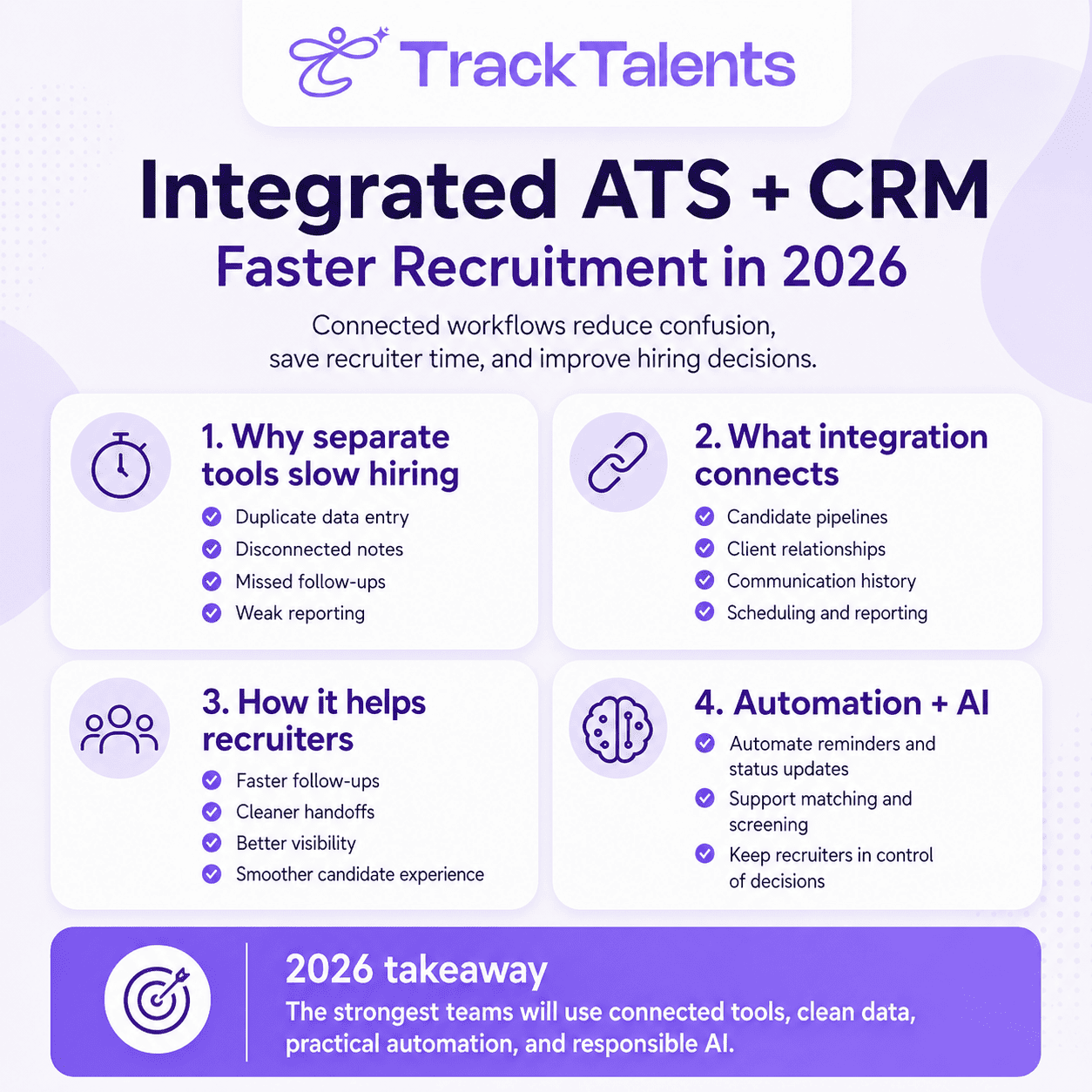
Recruiters see vacancies, application stages, and interview schedules inside an applicant tracking system. Candidates see something very different: a series of web pages, forms, emails, calendar links, and interview instructions—often viewed on a phone while commuting, on a work break, or during a few spare minutes at home.
That difference shapes the candidate experience.
A well-designed mobile hiring process helps people understand a role, complete an application, and respond to recruiters without struggling with slow pages, repeated questions, or confusing instructions. A poor process may cause suitable candidates to leave before the employer has reviewed their qualifications.
Mobile use is no longer a minor part of job searching. Indeed reported in May 2026 that 79% of applications submitted through its US platform came from mobile devices. This is platform-specific data rather than a measure of the entire employment market, but it shows how important phone-based applications have become.
Mobile-friendly hiring does not mean forcing every assessment and interview onto a phone. It means confirming that candidates can move through the main stages without their device becoming an obstacle.
Most Candidates Now Search and Apply for Jobs on Their Phones
Candidates may first notice a vacancy through a job board, a social media post, a message, or a search result. Many will open the role on their phone before deciding whether to apply.
At that point, they want quick answers:
- What is the job?
- Where is it located?
- Is it remote, hybrid, or office-based?
- What experience is required?
- What are the working hours?
- Is the salary disclosed?
- How long will the application take?
- What happens after submission?
A job page that hides these details beneath lengthy employer descriptions makes candidates work too hard to assess the opportunity. On a smaller screen, several introductory paragraphs can push the location, salary, responsibilities, and requirements far down the page.
The most useful information should appear early. Employer branding still has a place, but it should help candidates understand the organization rather than delay access to the job itself.
Page speed also affects the experience. Large images, autoplay videos, complicated pop-ups, and unnecessary scripts may work well on office broadband but perform poorly on mobile data. A visually impressive page is of little value if candidates cannot reach the application button.
A Difficult Application Can Drive Good Candidates Away
Application forms often ask for more information than recruiters need during the first review.
Candidates may be asked to create an account, verify an email address, upload a résumé, type their complete employment history, answer several screening questions, and provide personal details before they know whether the employer will consider them.
Indeed states that half of job seekers abandon an application when the process takes longer than 10 minutes. The precise drop-off point will differ by role, seniority, and candidate motivation, but the figure shows why employers should measure application time rather than assume candidates will complete any form presented to them.
A senior executive may accept a longer application for a highly specialized role. A warehouse worker applying to several nearby employers may not. The process should reflect the type of job and the information needed to make the next decision.
Ask Only for the Information Needed at the First Stage
Most initial applications need a limited set of details:
- Name and contact information
- Résumé or relevant work history
- Location
- Work authorization where necessary
- Essential license or certification
- Availability
- A few role-specific screening answers
Reference information, identification documents, complete address details, payroll information, and extensive compliance records can usually be requested later.
Collecting information too early creates three problems. It lengthens the form, increases the amount of candidate data the employer must protect, and asks people to provide confidential information before a genuine hiring relationship has developed.
Every application field should have a clear purpose. If recruiters do not use the answer during initial screening, the question may belong at a later stage.
Avoid Making Candidates Re-enter Their Entire Résumé
One of the most frustrating aspects of the application process is uploading a résumé and then being asked to type the same employment history into separate fields.
Structured information can help an ATS search, filter, and report on candidates. However, employers should first confirm whether every field is necessary and whether résumé-parsing technology can reliably extract the information.
When parsing fails, candidates should be able to correct individual entries. They should not have to delete the upload or restart the entire application.
Forms also need to handle ordinary career situations:
- Current positions without an end date
- Contract and freelance assignments
- Overlapping employment
- Career breaks
- Several roles with the same employer
- International date formats
- Qualifications from different countries
A form designed around one standard career path can create difficulties for qualified candidates whose employment histories are less conventional.
Small Mobile Problems Can Stop an Application
Candidates do not always abandon an application because it is long. Sometimes one poorly designed field is enough.
Common problems include:
- Buttons that are too small or placed too close together
- Error messages that do not identify the problem
- Phone-number fields that reject international numbers
- Date selectors that are difficult to use
- Forms that erase information after a page refresh
- Verification codes that arrive late or expire too quickly
- File uploads that accept only one document format
- Drop-down lists containing hundreds of unsorted options
- Pop-ups that cover the application button
- Required fields that are not clearly marked
- Pages that time out without warning
These may appear to be minor technical issues on the employer’s side. For the candidate, each one can block the application.
A mobile-friendly form should provide clear labels, readable instructions, and explicit error messages. The World Wide Web Consortium explains that form controls need labels or instructions so users can understand what information is expected. Its access guidance applies existing Web Content Accessibility Guidelines to mobile websites and applications rather than treating mobile accessibility as a separate standard.
Useful form features include:
- Visible labels that remain clear after typing begins
- The correct mobile keyboard for email addresses, dates, and numbers
- Autofill support where appropriate
- Clear file-size and file-format instructions
- A progress indicator for longer applications
- A review page prior to submission
- Confirmation before entering information is deleted
- Plain-language explanations when something goes wrong
The best way to find these problems is to complete the application on a real phone rather than in a reduced desktop browser window.
Let Candidates Save Their Progress and Continue Later
Job applications are often completed among other responsibilities. A candidate may begin on a phone, stop when a meeting starts, and return later from a laptop.
The system should preserve completed information whenever possible. Asking candidates to complete a lengthy application in a single session increases the likelihood that an interruption will erase their work.
Save-and-return functionality is particularly valuable when the process includes:
- Multiple application pages
- Detailed screening questions
- Portfolio uploads
- Written assessments
- Supporting documents
- Work samples
- Additional compliance information
Candidates should also be able to move between devices. A person who starts on a phone should not be forced to restart when a later task is easier on a computer.
Some activities genuinely require a larger screen or specific equipment. Coding tests, design exercises, and complex spreadsheets may not work well on a phone. The employer should explain this before the candidate begins, including the expected completion time, supported devices, the deadline, and contact information for technical support.
Mobile-first should provide flexibility. It should not become mobile-only.
Make Job Applications Accessible to More People
A recruitment process can appear simple to one candidate while remaining difficult or impossible for another.
Candidates with visual, hearing, motor, cognitive or neurological disabilities may use screen readers, enlarged text, keyboard controls, voice input, subtitles or other assistive technologies. Mobile forms should be tested with these needs in mind.
Important accessibility features include:
- Text that remains readable when enlarged
- Adequate colour contrast
- Clear form labels
- Captions and transcripts for video
- Instructions that do not rely only on color
- Buttons that do not call for precise tapping
- Enough time to complete assessments
- Alternatives to inaccessible interview formats
- A clear method for requesting assistance
W3C published guidance in 2025 explaining how WCAG 2.2 can be applied to native mobile apps, mobile web applications and hybrid apps. The guidance is useful rather than a separate legal requirement, but it provides a functional framework for testing mobile accessibility.
Legal obligations differ by country. In the United States, the Equal Employment Opportunity Commission states that covered employers may need to make reasonable changes to an application or interview process so a qualified person with a disability can participate, unless doing so would create an undue hardship.
Employers should not place the accommodation route in the same inaccessible form that causes the problem. A visible email address, phone number, or other contact method gives candidates another way to ask for help.
Keep Candidates Informed After They Apply
Applying should not send a candidate into silence.
People understand that hiring decisions take time. What creates frustration is not knowing whether an application was received, whether the position remains open, or whether the employer has already moved forward with someone else.
Indeed describes a positive candidate experience as one that includes a quick application, candid communication, and respect for the candidate’s time and effort.
Candidates do not need daily updates. They need clear information at meaningful points.
| Hiring stage | Information candidates should receive |
| Application submitted | Confirmation, role title and expected review period |
| Application under review | An update if the review exceeds the stated timeline |
| Interview invitation | Format, duration, participants, time zone and preparation details |
| Interview completed | Expected decision date and point of contact |
| Process delayed | A brief explanation and revised update date |
| Candidate not selected | Clear closure once the decision has been made |
| Vacancy paused or canceled | Direct notice rather than indefinite silence |
| Offer stage | Next steps, documents, deadlines and contact details |
Not every rejected applicant can receive detailed personal feedback, particularly in high-volume recruitment. Every applicant can receive a clear outcome.
Silence also affects future hiring. Candidates who receive no response may be less willing to apply again, recommend the employer, or engage when a recruiter contacts them about another vacancy.
Use Automation to Prevent Silence, Not Replace Human Communication
An ATS can automatically send confirmations, reminders, scheduling links, status updates, and rejection messages.
Used properly, this prevents candidates from being overlooked when recruiters manage multiple vacancies. Used poorly, it creates messages that are fast but inaccurate.
An automated email should never:
- Refer to the wrong vacancy
- Arrive after the candidate has withdrawn
- Say the application is under review after the role has closed
- Send the same message twice
- Invite a rejected candidate to schedule an interview
- Promise a response date the team cannot meet
Before creating an automated message, recruitment teams should decide:
- Which event will trigger it?
- Is the candidate’s ATS stage accurate at that point?
- Are there situations in which the message should be stopped?
- Can a recruiter delay or cancel it?
- What happens when a vacancy is paused?
- Who monitors failed deliveries?
- Does the message explain the actual next step?
Personalization should mean more than inserting the candidate’s first name. The message must mention the correct role, reflect the real stage, and provide information the person can use.
Automation is most valuable when it handles routine administrative tasks. Conversations involving expectations, concerns, feedback, offers, and unusual circumstances still need human assessment.
Make Interview Scheduling Easier for Working Candidates
Interview scheduling can become a lengthy email exchange when several people are involved.
A mobile appointment link can reduce this effort by allowing candidates to select from available time slots. The page should clearly show:
- The candidate’s time zone
- Interview format
- Expected duration
- Names or roles of interviewers
- Office address or video link
- Available dates and times
- Rescheduling and cancellation options
- Preparation requirements
- Contact details for assistance
Flexibility is notably important for candidates who are already employed, work shifts, care for family members, or live in another time zone.
Employers do not need to offer interviews at every hour. They should provide reasonable options and a clear route to request an alternative.
Video interview invitations also need more than a video link. Candidates should know which platform will be used, whether an account or app is required, whether the camera must remain on, and what to do if the connection fails.
For recorded interviews, employers should explain whether responses will be stored, who will review them, and whether automated technology will be involved. Candidates should not discover important technical or privacy requirements minutes before the interview.
High Application Volumes Require a Better Process
Recruiters are receiving more applications while still functioning with limited time.
Ashby’s 2026 analysis covered 109 million applications and 247,000 jobs between January 2021 and March 2026. It found that applications per hire tripled between 2021 and 2024 and remained above 300 throughout 2025. Greenhouse separately reported that recruiters were handling nearly three times as many applications per role as they did in 2021. These datasets represent customers using the respective platforms rather than the whole employment market, but both show a substantial increase in recruitment workload.
Large application volumes make mobile-friendly hiring more important, not less.
A complicated application does not necessarily filter out unsuitable candidates. It may remove people with limited time, poor internet access, or difficulty using the form, while allowing less suitable candidates with more patience to continue.
High-volume recruitment needs:
- Clear job requirements
- Focused screening questions
- Short initial applications
- Consistent candidate stages
- Automatic acknowledgments
- Reliable duplicate-record controls
- Defined responsibility for follow-up
- Timely hiring-manager reviews
- Accurate bulk communication
- Reports showing at which candidates stop progressing
Speed should not become the only objective. The process still needs fair screening, accurate records, and appropriate human review.
Explain How Candidate Information Will Be Used
Job applications collect personal information. Depending on the stage, this may include contact details, employment history, qualifications, salary expectations, work authorization, and assessment results.
Candidates should be told:
- Who is collecting the information
- Why it is needed
- How it will be used
- Whether another provider will process it
- How long it may be retained
- Whether automated tools are involved
- How to request access or correction where applicable
- Who to contact with a privacy concern
The UK Information Commissioner’s Office advises employers and recruiters to consider data protection throughout recruitment, from advertising a vacancy to deleting candidate information. Its guidance also warns against collecting more personal information than the recruitment purpose requires.
Privacy requirements differ by location, so employers should obtain appropriate legal guidance for the countries where they recruit.
The practical principle is simpler: do not ask candidates for sensitive or detailed information before it is honestly required.
What to Look for in a Mobile-Friendly ATS
Software demonstrations often focus on what recruiters can do inside the system. Employers should also ask vendors to show the complete candidate journey.
The application processes
Check whether candidates can:
- Read job pages comfortably on a phone
- Apply without needless account creation
- Upload common résumé formats
- Correct parsing errors
- Save their progress
- Continue from another device
- Review information prior to submission
- Request technical or accessibility support
Communication and scheduling
Confirm whether the system can:
- Send messages when candidate stages change
- Prevent duplicate communication
- Pause automated messages
- Display interview times in the correct time zone
- Allow rescheduling
- Cancel outdated reminders
- Retain communication history with the candidate record
Recruiter and hiring-manager access
Review whether authorized users can:
- Open and review candidates from a phone when necessary
- Submit interview feedback easily
- See previous candidate communication
- Identify duplicate applications
- Correct records without deleting useful history
- See which candidates are waiting for action
Reporting
Useful reports may include:
- Application starts and completions by device
- Drop-off by page or question
- Average completion time
- File-upload failures
- Verification failures
- Time from application to acknowledgment
- Time between interview and feedback
- Scheduling completion rates
- Candidate withdrawal rates
- Accessibility-related support requests
A mobile-ready ATS should not be selected only because its pages adjust to a smaller screen. It should help candidates complete the process and help recruitment teams identify where problems occur.
Test the Application Process on a Real Phone
Recruitment teams should periodically apply for their own vacancies.
A practical test can include the following steps:
- Select several roles with different application requirements.
- Apply using both Android and iOS devices.
- Test the process on Wi-Fi and mobile data.
- Start on one device and continue on another.
- Upload different supported résumé formats.
- Enter an international phone number.
- Make deliberate mistakes to review the error messages.
- Increase the text size.
- Test basic screen-reader navigation.
- Schedule and reschedule an interview.
- Review every email and reminder sent.
- Check what information reached the ATS correctly.
Recruiters, hiring managers, and technology teams should complete the test together. A recruiter may notice communication problems that a developer misses, while a technical specialist may identify why information is being lost between systems.
Problems that block submission, erase information, exclude users, or send incorrect communication should be corrected before cosmetic issues.
A Better Mobile Experience Starts with Fewer Obstacles
Mobile-friendly hiring is not about adding more features to the recruitment process. It is about removing the steps that prevent candidates from understanding and completing it.
A strong process allows candidates to:
- Find the essential job information quickly
- Apply without restating redundant details
- Save their work and return later
- Use different devices
- Request assistance
- Schedule interviews with reasonable flexibility
- Obtain accurate updates
- Understand how their information will be handled
An employer may have a strong brand, an attractive vacancy, and an experienced recruitment team. Candidates cannot value any of those strengths when the application form fails, their progress disappears, or nobody tells them what happened after they applied.
The first practical experience many candidates have with an organization is not an interview. It is the recruitment technology placed between them and the role. Making that experience clear, accessible, and easy to complete gives suitable candidates a fairer opportunity to remain in the hiring process.